
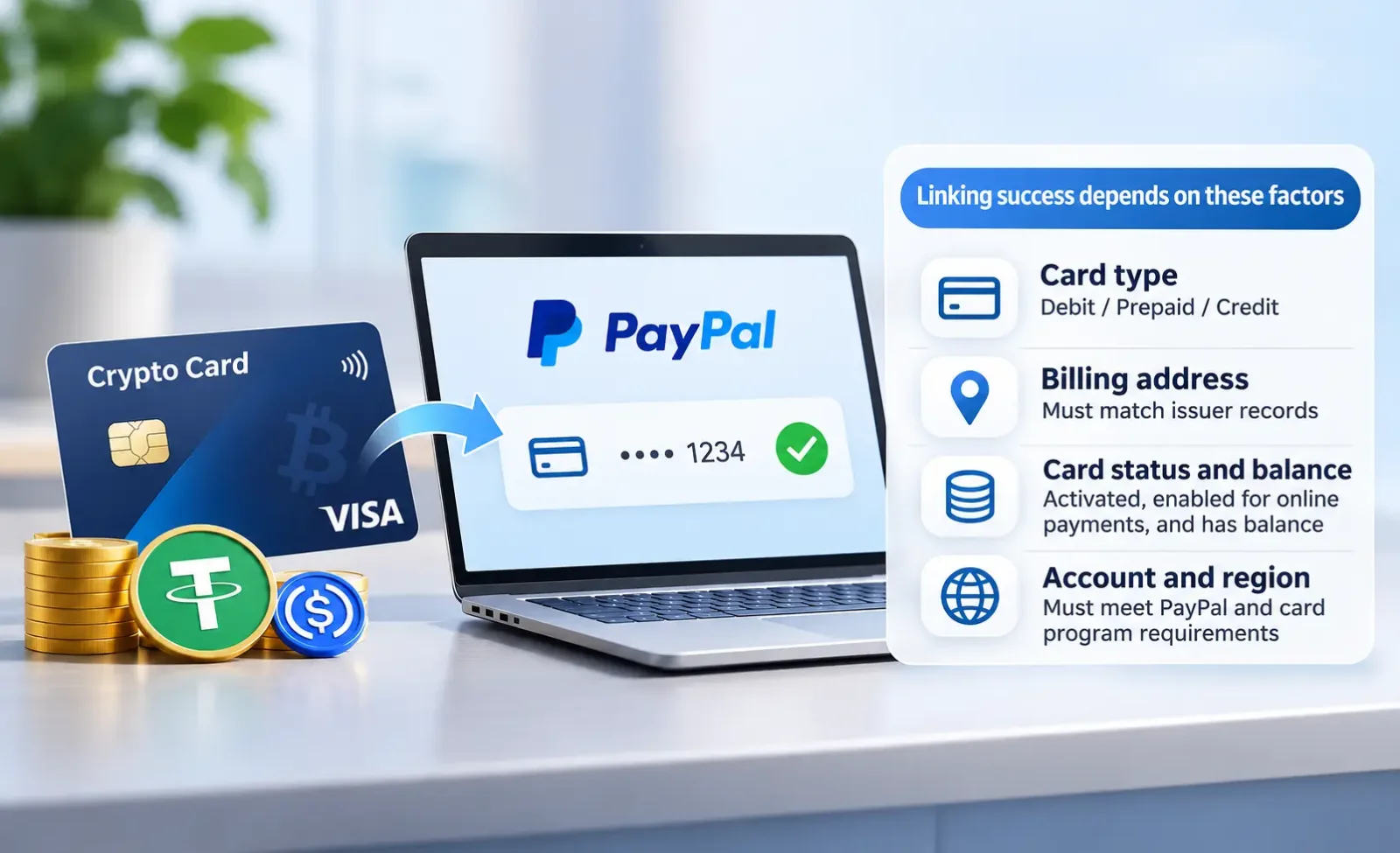
A crypto payment card may be eligible to link to PayPal, but success depends on the card type, issuing program, account country, and verification outcome. Crypto cards issued on networks such as Visa and Mastercard can potentially be added to PayPal like conventional payment cards. Funding a card with stablecoins such as USDT or USDC does not, by itself, determine whether PayPal will accept it.
According to the U.S. PayPal Help Center, PayPal accepts cards on networks including Visa, Mastercard, Discover, Diners Club, and American Express, as well as eligible prepaid cards. However, issuers and card programs operating on the same network may impose different transaction restrictions. A Visa or Mastercard logo alone does not establish that a particular crypto card is compatible with PayPal.
It is particularly important to distinguish between adding a card, completing card confirmation, and making a payment to a merchant. A card saved in a PayPal wallet can still be declined at checkout, during a recurring payment, or when used with a particular merchant.
Can You Link a Crypto Payment Card to PayPal?
When PayPal charges a linked card, the underlying transaction is generally processed as a card payment. Consider a card that lets users deposit USDC and convert it into a spendable U.S. dollar balance. The user links the card's payment credentials to PayPal, while funding, conversion, and balance management are primarily handled by the card provider and its partners.
Eligibility also varies by card type:
Debit cards: These generally draw on available funds in a linked account. The card must support the relevant online transactions and verification authorizations.
Prepaid cards: Users must first load funds or establish an available spending balance. PayPal accepts prepaid cards in some markets, although individual card programs may restrict linking or payments.
Crypto-linked credit cards: Eligibility depends on the actual issuing agreement and the nature of the credit product. Labels such as "Crypto Card" or "Stablecoin Card" are not sufficient to establish how a card operates.
Virtual cards: Virtual refers to the card's form, not a funding category equivalent to debit or prepaid. A virtual card with a valid card number, expiration date, security code, and online payment capability may be eligible to link. Single-use virtual cards or cards restricted to certain merchants may be unsuitable for ongoing use.
Both sets of requirements must be met: PayPal's rules for accepting external cards and the issuer's authorization rules for the relevant transactions. Payments must also be distinguished from adding money to a PayPal balance. Successfully linking a card does not necessarily mean it can be used to fund a PayPal balance or receive withdrawals.
How to Add a Crypto Payment Card to PayPal
Start by opening the card provider's official app. Confirm that the card is active, not frozen or expired, enabled for online purchases, and has enough available funds for verification. For a virtual card, check whether a new card number has been issued. Some providers also require users to enable online transactions or specific authorization settings separately.
For PayPal accounts that support manually linking payment cards, the usual process is:
Sign in to the official PayPal website or app and open Wallet.
Select Link a debit or credit card.
Enter the card number, expiration date, security code, and billing address, then follow any additional confirmation instructions.
The U.S. process is described in PayPal's guide to linking a card. The interface and verification procedures may differ by market.
Use the actual billing information recorded by the card issuer. For an international crypto card, the billing address may differ from the cardholder's residential address or the address provided during the platform's know-your-customer (KYC) checks. Verify the information through the card management interface or official support channels. Do not enter an arbitrary address in the issuer's country. If PayPal reports a billing address mismatch, that message alone does not prove that the underlying transaction was specifically rejected through Address Verification Service (AVS).
After adding the card, check whether Confirm Card appears beside it. If it does, complete the required verification. If the option is absent, PayPal may already have completed the confirmation currently required.
What Are PayPal's $1 and $1.95 Card Verification Charges?
These amounts relate to two different procedures. The U.S. PayPal Help Center separately describes a temporary card authorization and an actual charge associated with a confirmation code. Amounts and verification methods may differ in other countries and regions.
Approximately $1: Checking Whether the Card Accepts Authorizations
PayPal's U.S. guidance states that, when a user adds or edits a card, PayPal may place a temporary authorization of up to $1 to check whether the card can be used for online payments. The amount may appear as pending, but PayPal does not collect it as a purchase charge. Depending on the issuer's processing times, the temporary hold may last from a few minutes to as long as 30 days. If it remains after 30 days, contact the issuer. See PayPal's explanation of the $1 card charge.
If the issuer declines this authorization, linking may fail. First check the card's status, available balance, online transaction settings, and spending limits. Then ask the card provider to review the PayPal authorization attempt. A temporary authorization hold is not the same as a completed purchase posted to the card account.
$1.95: Confirming the Card With a Four-Digit Code
If PayPal requires further card confirmation, its U.S. procedure involves an actual $1.95 confirmation charge. The transaction and a four-digit PayPal code typically appear on the card statement within 2–3 business days. A statement entry may look like PP*1234 CODE. The cardholder then selects the relevant card in PayPal Wallet and enters the latest four-digit code to complete confirmation.
According to PayPal's official U.S. instructions, PayPal initiates a refund immediately after successful confirmation. The issuer should credit the amount back to the card balance within 30 days of the refund date. Requesting the code repeatedly may result in multiple confirmation charges, so users should enter the most recent code. Not every card requires this step, and other markets may use different identity verification methods.
For crypto payment cards, PayPal initiating the refund, the refund being posted to the card ledger, and the spendable balance being restored may occur at different times. If the card involves automatic cryptocurrency conversion, the provider's accounting rules determine how the refund is credited. Users should not assume they will receive exactly the original amount of USDT or USDC.
Why Can't You Link a Crypto Payment Card to PayPal?
When linking fails, record the error message, the time of the attempt, and whether a verification authorization appears in the card management interface. PayPal identifies several possible causes, including a billing address mismatch, a declined authorization, a card already linked to another account, card-linking limits, and an incorrect security code. The following table organizes troubleshooting by the issue that needs attention rather than treating every failure as proof that the card does not support PayPal.
Error or Symptom | Possible Cause | Recommended Action |
|---|---|---|
Billing address mismatch | The information entered does not match the card's billing records | Verify the actual billing address. If the information is correct but linking still fails, contact the issuer |
Verification authorization declined | Card not activated, online transactions disabled, insufficient balance or spending limit, or issuer restrictions | Check card settings and ask the provider or issuer to review the authorization records |
Card already linked to another account | The same card remains saved in an older PayPal account | Unlink it from the previous account; contact PayPal if the account cannot be accessed |
Maximum number of linked cards reached | The PayPal account has reached its card-linking limit | Remove cards no longer in use and contact PayPal if necessary |
Repeated security code verification failure | Incorrect information or triggered security controls | Verify the card details and contact PayPal rather than repeatedly guessing |
Account restricted or identity verification required | PayPal account security review or pending email or identity confirmation | Complete the requested verification within the PayPal account |
Generic linking failure without an explanation | The process may have stopped on PayPal's side, or the card authorization may have failed | Check both PayPal's messages and the issuer's authorization records to identify where to investigate |
Start With the Billing Address and Authorization Records
PayPal requires the billing address to match the card's records. Cross-border virtual cards are particularly likely to have different residential, KYC, and issuer-recorded billing addresses. Use the information actually registered with the issuer. Do not attempt to circumvent geographic eligibility rules by entering a fictitious overseas address. PayPal's official troubleshooting guide discusses common issues such as address mismatches and declined authorizations.
If PayPal indicates that the issuer declined the authorization, provide the issuer with the date, amount, and last four digits of the card number. Ask whether it received PayPal's authorization request and whether the decline was related to the balance, transaction permissions, or card program rules. If support confirms that no corresponding request was received, ask PayPal to investigate the linking process. Never provide a support representative with the full card number, security code, or PayPal password.
PayPal Must Resolve Account-Level Linking Restrictions
The U.S. PayPal Help Center states that a card can be linked to only one PayPal account at a time. Unverified accounts can have up to four linked cards, while verified accounts can have up to 24. These limits are published for the U.S. market; users elsewhere should check the rules applicable to their accounts. Before switching PayPal accounts, unlink the card from the previous one.
If the PayPal account is restricted, the email address remains unconfirmed, or the card security code has repeatedly been entered incorrectly, resolve the issue with PayPal first. Repeatedly registering new accounts or reissuing virtual cards will not repair the original account's status and may trigger additional reviews.
Why Can a Linked Crypto Card Still Be Declined for PayPal Payments?
Card linking establishes whether a card can be saved and confirmed. A merchant payment is a separate transaction. PayPal may first assess account and transaction risk to determine whether the card can be used as a funding source. Even if the payment proceeds to card authorization, the issuer makes its own authorization decision.
The card is added but unavailable at checkout. The issue may involve PayPal's eligible funding sources, the payment type, account status, or the merchant's checkout configuration. Purchases, personal transfers, and automatic payments do not necessarily support the same funding sources. In this situation, review the restrictions shown at checkout or contact PayPal rather than assuming the issuer declined the card.
The card is selectable, but the payment is declined after submission. PayPal's U.S. guidance on declined payments identifies possible causes including issuer declines, outdated card details, account restrictions, and additional security checks. Review both the PayPal transaction history and the card provider's authorization records. If the issuer received and declined the relevant authorization, ask it for the decline reason. If no record appears, ask PayPal whether the transaction was blocked before a card authorization was submitted. However, the absence of an issuer record does not conclusively place the problem with PayPal; an intermediary processing stage may also be involved, requiring further investigation by both parties.
Regular purchases work, but payments to certain merchants fail. The merchant category, nature of the service, acquiring region, or method used to initiate a transaction may differ. Some card programs restrict financial services, quasi-cash transactions, or particular merchant categories. Using PayPal as an intermediary does not override the underlying issuer's transaction restrictions.
When troubleshooting, retain the time of the failed payment, merchant name, transaction currency, and amount. First determine whether the failure occurred while selecting a funding source or during the authorization process after submission. PayPal support and the card provider have access to different records. Identifying the relevant stage is usually more effective than repeatedly attempting the same payment.
Can a Crypto Card Issued in Another Country Be Linked to PayPal?
A difference between the PayPal account country and the card's country of issuance does not automatically prevent linking. International crypto cards are nevertheless subject to card program requirements, residency-based eligibility, and the features PayPal offers in the relevant market.
For example, a card program may accept applications from European Economic Area residents and support cross-border online Mastercard transactions. That establishes only that eligible cardholders can use the card under the program's rules. It does not establish that UK or U.S. residents are eligible to apply, or that PayPal accounts in those countries will necessarily accept the card.
Three things need to be checked separately: whether PayPal offers the relevant card-linking and payment features in the account's country; whether the card program permits residents of the user's location to apply for, hold, and use the card; and whether the issuer permits PayPal verification, cross-border transactions, and the relevant merchant categories. The country of issuance, cardholder's place of residence, and billing address serve different purposes. None should be misrepresented to make linking work.
Can You Use a Crypto Payment Card for Automatic PayPal Payments?
Some merchants support automatic payment agreements through PayPal, allowing them to initiate charges in subsequent billing periods. A successful first payment only establishes that the initial transaction was approved. Later payments must still meet available balance, card validity, and authorization requirements.
For long-term SaaS or digital service subscriptions, check whether the virtual card may expire or be reissued, whether its details can be updated, and whether the card program allows subsequent merchant-initiated charges. A single-use virtual card should not be treated as a reliable long-term subscription funding source.
One setting can have a significant effect on renewals: the preferred payment method in PayPal Wallet is not necessarily the designated funding source for each automatic payment agreement. PayPal's payment methods guidance explicitly states that changing the default payment method in the wallet does not directly change automatic payments. Open PayPal's Automatic Payments management page, select the relevant merchant, and review the designated payment method and available backup funding sources. The exact interface varies by region and account type.
Common Questions About Fees, Security, Refunds, and Withdrawals
Does Paying With a Crypto Card Through PayPal Cost More?
Fees can arise at different stages: funding the card account or converting USDT or USDC, currency conversion performed by PayPal or the card issuer, and transaction fees imposed by the card program. Merchant purchases and personal transfers may also be subject to different fee schedules.
For example, suppose a card is denominated in U.S. dollars while a merchant charges in euros. If checkout allows users to choose which party performs the conversion, compare PayPal's displayed exchange rate with the issuer's applicable currency conversion terms. If PayPal has already converted the transaction from euros to dollars, there is no basis for counting a second identical conversion without evidence that it occurred. However, if the crypto card must also sell digital assets when a purchase is made, additional conversion costs may apply. Review the checkout amount, the actual balance deduction, and the provider's fee schedule together. See PayPal's guidance on payments in another currency.
Is PayPal Safer Than Paying Directly With the Card?
Where PayPal checkout is supported, users do not need to share their card number with each merchant. However, risks relating to custody of funds, account freezes, conversions, and balances at the card provider remain.
PayPal's U.S. Purchase Protection terms cover certain eligible disputes involving items not received or significantly not as described, but some transactions are excluded. PayPal Purchase Protection and card chargebacks are separate dispute procedures. Under the U.S. terms, users cannot pursue disputes for the same transaction simultaneously through PayPal and the card issuer or obtain duplicate compensation. Contact the merchant first and pay attention to the applicable filing deadlines. For unauthorized transactions, promptly secure the PayPal account, freeze the linked card, and contact the relevant providers.
Can a Merchant Refund Go Back to the Original Crypto Payment Card?
PayPal generally returns purchase refunds to the original payment method. According to PayPal's U.S. refund guidance, debit card refunds usually take up to approximately five business days, although some can take as long as 30 days. PayPal may still send refunds to the original prepaid or canceled card, in which case the cardholder should contact the issuer to determine how to recover the funds. If a refund cannot be credited to the original debit card, it may instead be transferred to the PayPal balance.
For a crypto payment card, the provider's accounting rules determine how the balance is restored and whether additional conversions or exchange-rate differences apply. Users can check the refund status in PayPal Activity and retain the original order details and refund reference for the issuer to investigate.
Can You Withdraw Your PayPal Balance to a Linked Crypto Card?
Eligibility to make purchases is different from eligibility to receive withdrawals. In the United States, PayPal permits transfers to eligible Visa, Mastercard, or Discover debit cards. Availability depends on the PayPal account country, the card's eligibility, and the issuer's ability to receive the incoming funds. Withdrawal methods also have different fees and processing times. See PayPal's guidance on transferring money to a debit card.
A crypto payment card working for PayPal purchases establishes only that the relevant payment function is available. To withdraw a PayPal balance, check whether the card appears as an eligible destination on the withdrawal screen and confirm with the card provider that it accepts these incoming transfers. Adding money to a PayPal balance, initiating a withdrawal, and receiving a merchant refund to the original payment method are three distinct fund flows.