
When shopping online or paying for subscriptions with a crypto payment card, you may encounter an unexpected problem: the card has sufficient funds, the card number and expiration date are correct, yet the checkout page displays "3D Secure authentication failed" or "Authentication unsuccessful." In some cases, the cardholder completes identity verification, but the payment still fails.
These messages do not necessarily indicate the same problem. A transaction may have stopped during 3D Secure authentication, or authentication may have succeeded before the payment was declined at the authorization stage.
The first step is to determine where the failure occurred. That will help establish whether to check the card settings, contact the merchant, or seek assistance from the issuer.
What Does a 3D Secure Authentication Failure Actually Mean?
3D Secure (3DS) is an authentication protocol for online card transactions, primarily based on the EMV 3-D Secure standard. It enables merchants, payment service providers, card networks, and issuers to exchange authentication information to help establish whether the person making a payment is authorized to use the card.
Visa's corresponding service is called Visa Secure, while Mastercard's is known as Mastercard Identity Check.
A typical 3DS authentication follows one of two flows:
Frictionless Flow: The issuer evaluates the transaction using risk signals such as the transaction amount, device information, and merchant data, without requiring additional action from the cardholder.
Challenge Flow: The cardholder must take an additional step to confirm their identity, such as entering a one-time password (OTP), approving the transaction through the issuer's app, or using another supported authentication method.
Therefore, the absence of an OTP prompt does not mean that the merchant has not used 3DS. Authentication may have been completed in the background, or the process may not have started successfully. The actual outcome must be determined from the authentication result returned by the payment service provider.
For a technical explanation of these flows, see EMVCo's EMV 3-D Secure white paper.
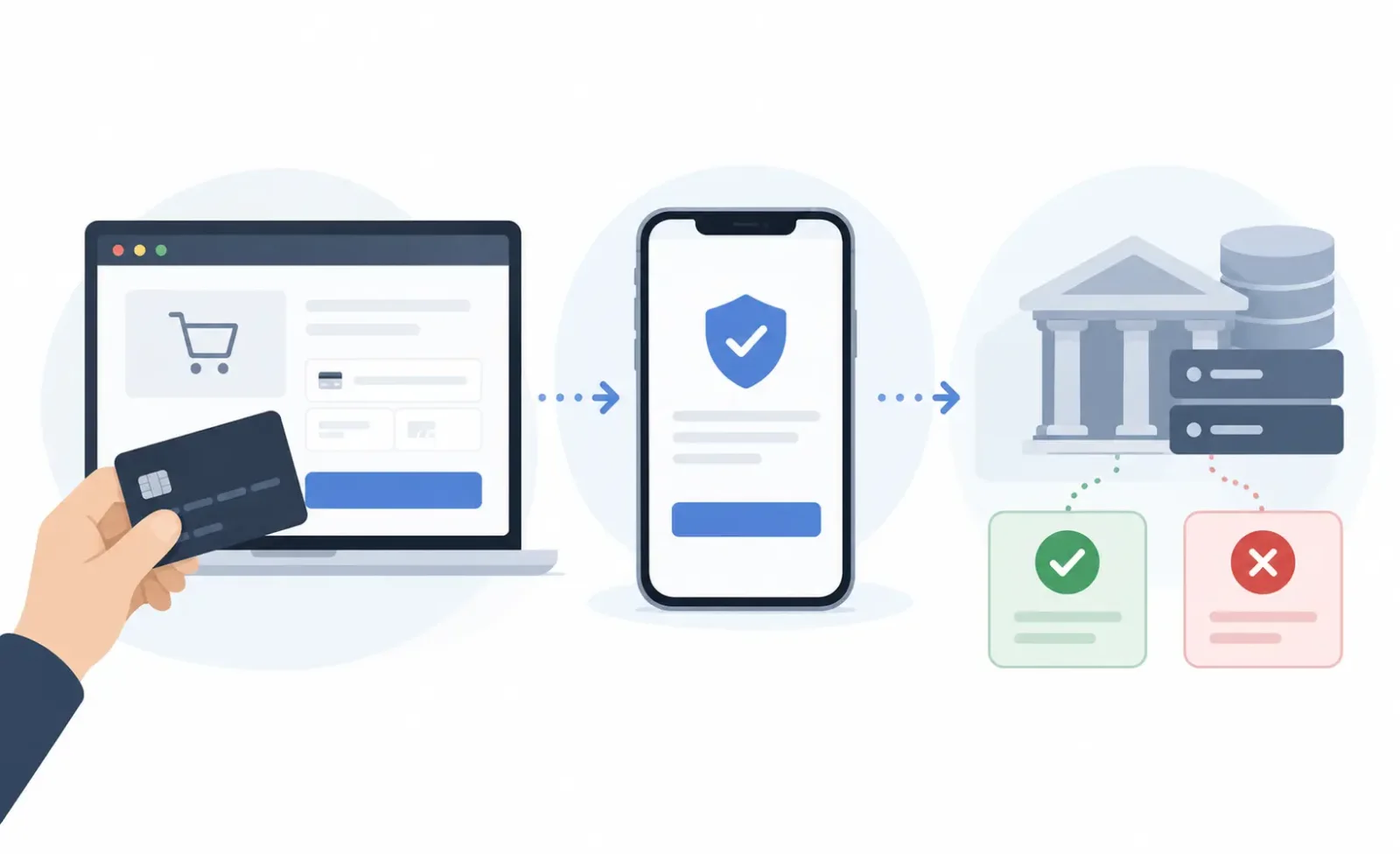
Authentication and Payment Authorization Are Separate Steps
3DS handles authentication, while payment authorization determines whether a transaction is approved.
Even if the cardholder successfully enters an OTP or confirms their identity in an app, the issuer may still decline the payment because of insufficient funds, transaction limits, card status, or risk controls.
This distinction is particularly important for crypto payment cards. Some products draw on a prefunded balance, while others require cryptoassets to be converted when a purchase is made or determine spending capacity through other funding arrangements. An account showing USDT or USDC holdings does not necessarily mean those assets are immediately available to authorize the current transaction.
If authentication has already succeeded, troubleshooting should shift to the authorization outcome rather than repeatedly requesting another OTP.
Start by Identifying What Happened at Checkout
A merchant's "Payment Failed" message often describes only the final payment outcome, not the underlying error. Even when the page displays "3DS Failed," the authentication and authorization records may need further examination.
What happened during payment | What to investigate | Recommended action |
|---|---|---|
Payment failed immediately without an authentication page appearing | Whether 3DS was initiated, the merchant's authentication configuration, or an authorization decline | Ask the merchant whether authentication was initiated and what type of error was actually returned |
An authentication window appeared, but no OTP arrived | Contact details linked to the cardholder account and the issuer's notification channels | Check the phone number, email address, and official app used for authentication |
The OTP was rejected as invalid or expired | OTP validity, authentication session, or repeated submissions | Check the original order status, then restart the complete payment process |
The authentication page was blank, failed to load, or kept spinning | Browser, network connection, page redirects, or authentication service | Try a standard browser and rule out interference from extensions or in-app browsers |
The transaction was approved in the app, but the merchant still reported authentication failure | Authentication result delivery, session timeout, or merchant integration | Ask the merchant to verify the final authentication status |
Authentication appeared successful, but the payment was subsequently declined | Whether the authentication result was used, payment authorization, and card restrictions | Verify the authentication result first, then ask the issuer to check its authorization records |
This table provides a starting point for troubleshooting; it is not a substitute for transaction records. When the merchant's payment page does not display a specific error code, users generally cannot determine on their own whether the failure occurred during authentication or authorization.
Not Receiving an OTP? Check the Cardholder Account, Not Just Your Platform Profile
One-time passwords are a common method of completing a 3DS challenge, but the delivery channel depends on the card issuing service.
The brand operating a crypto payment card may be different from the institution that actually issues it. The phone number used to register with a cryptoasset platform is not necessarily the number associated with the cardholder account for receiving 3DS authentication codes.
If no OTP arrives, start by opening the official card management interface. Check whether the phone number or email address designated for transaction authentication is correct and whether the product uses SMS, email, or app-based verification.
An undelivered SMS may be caused by international messaging issues, carrier filtering, a changed phone number, or a problem with the delivery service. The absence of a text message alone does not identify which party is responsible.
If the card uses app-based push authentication, make sure you are signed in to the official app, the device has a working network connection, and there are no pending transactions awaiting approval. Some authentication flows do not send SMS messages at all.
If you receive several OTPs, remember that they may belong to different authentication sessions. Repeatedly requesting a new code can invalidate an earlier one. Closing the checkout page may also cause the original session to expire.
In that situation, first establish whether the merchant's order is still being processed and whether the card has any pending authorizations. Only then should you initiate another payment. Do not keep entering codes on a page whose session has already expired.
If the contact information is correct but authentication requests never arrive, the card provider or issuer should investigate the delivery status and authentication service. Repeatedly editing billing details on the merchant's website is unlikely to resolve the issue.
Authentication Page Won't Open, or Checkout Doesn't Resume After Verification
A 3DS challenge depends not only on the issuer but also on correct integration between the merchant's checkout page and its payment service provider.
In a browser, authentication may take place in an embedded window or through a redirect. After the cardholder completes the challenge, the merchant's system must still process the authentication result correctly for the payment to proceed.
If you encounter a blank window, a page that repeatedly loads, or an inability to return to the merchant after authentication, check the following:
Was the checkout page opened in an in-app browser, such as one built into a social media or email app?
Could browser extensions, script blockers, or privacy settings be interfering with the authentication page?
Was the network connection interrupted during the redirect or authentication process?
After approving the request in the app, was the original checkout page still active?
The most straightforward test is to open the merchant's official website in a standard browser on your device and try again after confirming the status of the original transaction.
If necessary, temporarily rule out interference from browser extensions. However, do not ignore certificate errors, security warnings, or suspicious redirects.
If the same card completes 3DS successfully at other merchants but repeatedly encounters page errors on one website, the investigation should focus on that merchant's payment integration and authentication flow.
Conversely, if several unrelated merchants produce similar errors, the card provider should investigate the issuer-side authentication service. Switching browsers may solve a front-end compatibility problem, but it cannot fix a card that has not been enrolled in an authentication service, incorrectly configured authentication channels, or an issuer system failure.
Under the EMV 3DS architecture, the merchant-side 3DS system coordinates with the issuer's Access Control Server (ACS) to perform authentication. The ACS may also be operated by a service provider acting on behalf of the issuer. Ordinary cardholders cannot inspect these underlying communications, so further investigation usually requires assistance from the merchant, payment service provider, or issuer.
Why Do Some Merchants Require Authentication While Others Don't?
It is not unusual for the same crypto payment card to encounter different 3DS flows at different merchants.
Whether 3DS is initiated, and whether the cardholder must complete a challenge, depends on factors including the merchant's payment configuration, the issuer's risk assessment, card network rules, and applicable regulatory requirements.
One transaction may pass through frictionless authentication, while another requires an OTP. For certain online payments, a merchant's failure to perform required authentication may also result in the issuer declining authorization and requesting additional authentication.
Stripe identifies one such authentication-related decline with the code authentication_required. According to its official decline code documentation, payment integrations generally need to handle the authentication requirement and, where necessary, bring the cardholder back into the payment flow.
However, if authentication has already been completed successfully and the issuer still returns authentication_required, Stripe recommends contacting the issuer for further assistance. This should not simply be interpreted as a reason for the user to keep authenticating the same payment.
In markets such as the European Economic Area, where Strong Customer Authentication (SCA) requirements apply, online card payments are also subject to the relevant regulatory rules. SCA does not mean that every transaction must trigger an OTP prompt. Eligible exemptions and the specific authentication arrangements can both affect the experience presented to the cardholder.
The same applies to subscription payments. Authentication may be required when a subscription is first established, while subsequent qualifying merchant-initiated transactions may not require the cardholder to authenticate each time.
Does "Card not enrolled" Mean the Card Doesn't Support 3DS?
Not necessarily.
"Card not enrolled" may indicate that the cardholder account has not completed 3DS enrollment, that a particular card program has an authentication configuration issue, or that the relevant authentication service cannot recognize the card. The exact cause must be established from the underlying error records.
An activated card, completed KYC checks, or a Visa or Mastercard logo does not, on its own, establish that the card supports the 3DS authentication method required by the current merchant.
Crypto payment cards may use different issuers and authentication services. Even cards offered under the same brand can have different configurations depending on the issuing region, card program, or product version.
If the merchant explicitly returns "3D Secure not supported" or "Card not enrolled," ask the card provider:
Has the card been enabled and enrolled in the applicable 3DS authentication service?
Which authentication methods does the card program support, and are there regional or product restrictions?
If additional enrollment, updated verification details, or service reactivation is required, what is the correct procedure?
It is also important to distinguish 3DS capability from a merchant's card acceptance policy. Some merchants restrict prepaid cards, virtual cards, or cards issued in particular regions. A card can have fully functional 3DS authentication and still be rejected under a merchant's acceptance rules.
Authentication Succeeded. Why Was the Payment Still Declined?
If the merchant's or issuer's records confirm that 3DS authentication succeeded but the payment was subsequently declined, the authorization result should be the focus of the investigation.
For prefunded crypto payment cards, available card balance, transaction limits, and account status are common starting points. Products involving real-time cryptoasset conversion or other funding arrangements also require checking the actual spending capacity and the conditions governing access to funds.
Some merchants may also submit a preauthorization or request authorization for an amount different from the displayed purchase price. These are payment authorization issues, however, not failures of 3DS authentication itself.
If a pending amount appears in the card account while the merchant's page reports a failed payment, verify the order and authorization status before doing anything else. Repeatedly submitting the payment at that point may result in duplicate authorizations or several amounts of funds being temporarily held.
For further troubleshooting of balances, merchant restrictions, and ordinary authorization declines, see UCard Radar's guide to declined crypto card transactions.
Repeated Authentication Failures: Don't Keep Retrying
Once a payment has repeatedly failed, continuing to enter OTPs or resubmit the transaction is unlikely to fix authentication configuration or system connectivity problems. It may also trigger limits on authentication attempts.
In its 3D Secure troubleshooting documentation for issuing, Adyen explains that cards issued through its service are temporarily blocked from further 3DS authentication after five consecutive failed authentication attempts. The restriction is generally lifted automatically after one hour, or its support team can be contacted for assistance.
Adyen relates this control to PSD2 regulatory requirements. However, the five-failure threshold and one-hour reset are specific implementation rules described in that provider's documentation and should not be assumed to apply to other issuers.
If the same error occurs twice in succession, especially when an OTP is rejected, an authentication service is unavailable, or the account indicates a temporary restriction, stop retrying and examine the specific error message and card status.
Frequently changing IP addresses, misrepresenting the account's region, or entering inaccurate billing details will not fix underlying authentication configuration problems. Such actions may instead prompt additional security reviews.
Merchant or Issuer: Who Should You Contact?
Troubleshooting a crypto payment card can involve more parties than the product interface suggests.
A cryptoasset platform may manage the card brand and customer service, a licensed issuer may be responsible for issuing the card, an independent processor may handle authorizations, and a dedicated ACS provider may perform 3DS authentication.
As a result, the branded app may not display a complete record of authentication attempts.
Adyen Issuing provides a useful example. Its official troubleshooting documentation explains that when 3DS authentication fails and prevents a transaction from proceeding beyond the authentication stage, the authorization request is not sent to Adyen. Consequently, no forwarded authorization request or corresponding webhook is generated, and the transaction does not appear in the Payments list in Adyen Customer Area. This describes a specific processing scenario within Adyen Issuing; it does not establish that every crypto payment card or other issuer follows the same recordkeeping behavior.
Therefore, the absence of a transaction from a card's transaction history does not prove that the merchant never attempted 3DS authentication.
The most appropriate party to contact depends on the symptoms:
Problem | Contact first |
|---|---|
Authentication window does not load, or checkout does not resume after verification | Merchant or its payment service provider |
No OTP arrives, app approval fails, or an authentication channel stops working | Card provider or issuer |
Card is reported as unenrolled or unable to support the required authentication method | Card provider or issuer |
Challenge was completed, but the merchant still reports authentication failure | Ask the merchant to verify the authentication result first; involve the issuer side if further investigation is needed |
Authentication was confirmed successful, but authorization was declined | Issuer or the service provider responsible for card authorization |
Before contacting support, gather the transaction date and time with time zone, merchant name, transaction amount and currency, last four digits of the card, exact error message, stage reached in the authentication process, and the status of the order and any pending authorizations.
When contacting the merchant, you can ask:
Could you confirm whether 3D Secure authentication was initiated for this transaction, what the final authentication status was, and whether the payment reached the authorization stage? If authentication failed, could you provide the relevant error code or reason?
This information is generally more useful for identifying the problem than simply asking why the payment failed.
How to Interpret 3DS transStatus Codes
If the merchant's technical support team can provide detailed authentication records, those records may include the EMV 3DS transStatus field.
This field indicates the state of authentication or account verification. Its interpretation and presentation may vary with the message stage, protocol version, and service provider.
Status code | Technical meaning |
|---|---|
| Authentication or account verification successful |
| Authentication failed or the account was not verified |
| Authentication could not be completed for technical or other reasons |
| The issuer rejected authentication and requested that authorization not be attempted |
| Further challenge authentication is required; an intermediate authentication state |
| Authentication attempts processing was performed, but successful cardholder authentication was not completed |
| Informational Only; the 3DS Requestor's challenge preference has been acknowledged |
| Authentication must be performed through a method separate from the current interaction session (Decoupled Authentication) |
The C and D statuses should not automatically be treated as final authentication failures. Likewise, A and I are not equivalent to Y. Determining whether authentication was ultimately completed requires examining the message stage, related results, and the payment service provider's processing behavior.
Under the EMVCo 3DS protocol specification, I is defined as Informational Only, indicating that the 3DS Requestor's challenge preference has been acknowledged. It does not mean that the cardholder has completed authentication.
Adyen's 3D Secure 2 API reference, by contrast, describes I as "Authentication / exemption granted by Issuer." This is the wording used in Adyen's interface documentation and should not be conflated with the EMV 3DS protocol definition. An authentication exemption also must not be treated as equivalent to the successful authentication represented by Y. The Adyen reference additionally documents transStatusReason codes that merchant technical teams can use for further investigation.
Cardholders generally cannot access these fields directly, but they can ask the merchant to confirm the final authentication result. If authentication succeeded, the next step is to establish whether a subsequent authorization request was submitted and whether the issuer declined it.
When sharing screenshots or transaction information, provide only the necessary redacted details. Never share your full card number, CVV, account password, OTP, or wallet recovery phrase with anyone.
For people who frequently use crypto payment cards for subscriptions, cross-border e-commerce, and online services, it is worth checking whether 3DS is available, which authentication channels are supported, and who provides assistance when authentication fails before applying for a new card. These details provide a more meaningful indication of how well a card can be supported in everyday use than a generic claim of "global online payment support."