
A U Card generally refers to a payment card that supports deposits in stablecoins such as USDT and USDC, or allows crypto assets to be used for card spending.
Once issued, it may be used for overseas websites, software subscriptions, in-store purchases or everyday spending. However, “U Card” is not an official bank-card category defined by Visa, Mastercard or any regulator. Issuers, supported regions, KYC requirements and fund structures differ substantially by platform, so the application process is not identical everywhere.
Some platforms can generate a virtual card after identity verification; others require users to first purchase a membership, fund the account or pay an issuance fee. Physical cards may additionally require address verification, card production, shipping and activation after delivery.
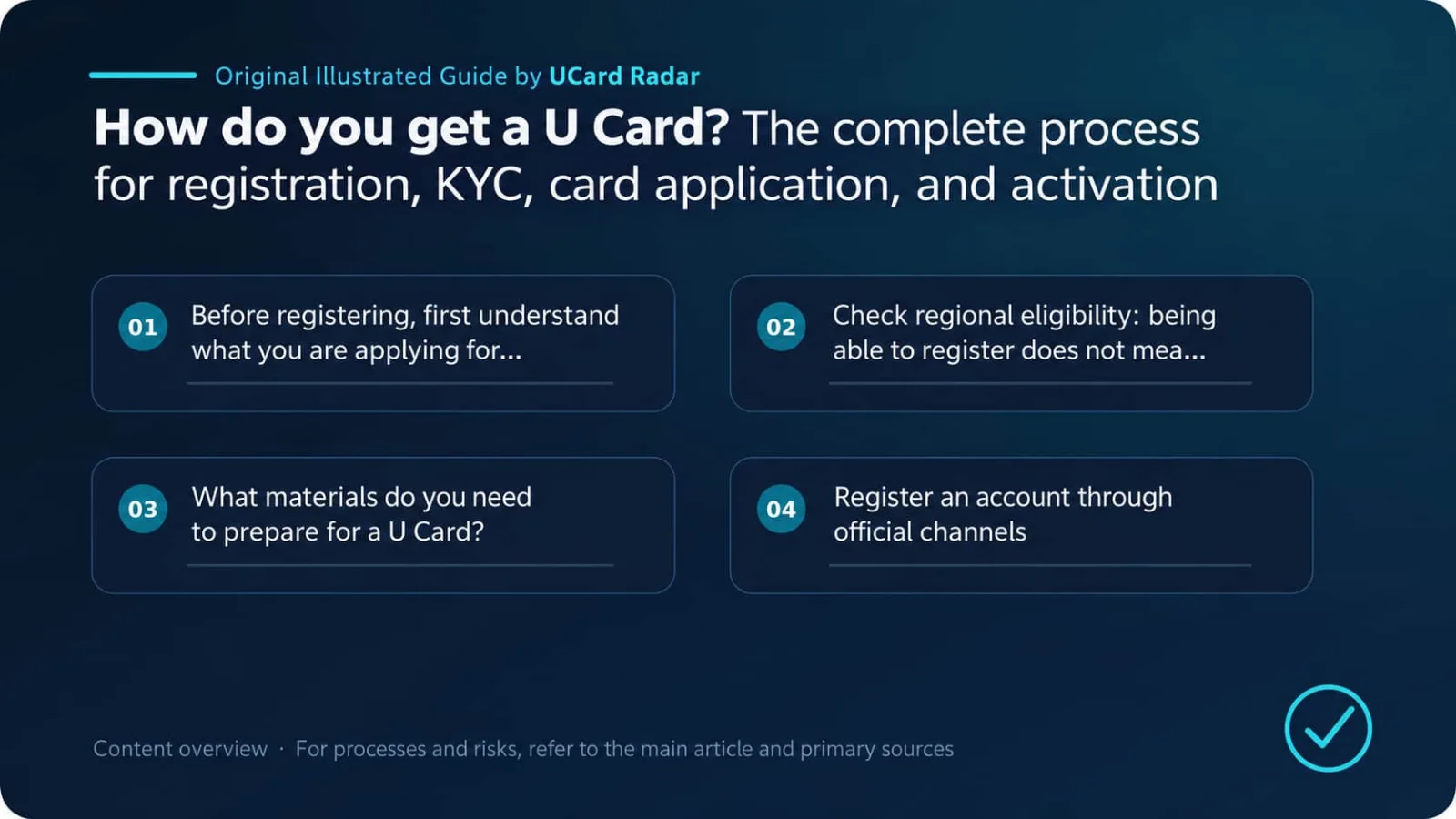
A U Card typically goes through the following process from application to actual use:
Verify eligibility → Register an account → Complete KYC → Apply for the card → Pay applicable fees → Activate the card → Fund the account → Run a small-value test
The steps most likely to cause problems are not the registration form itself, but regional eligibility, identity documents, funding networks and the situations in which the card can actually be used. The sections below follow the real-world order of application.
Sources and scope of conclusions
Primary verification: Spend Stablecoins with Gate Card; Coinbase Card - Debit card overview; Who can order the Nexo Card.
Verifiable facts in this article about U Card application, KYC, review and activation are based on the listed official or regulatory materials. Actual service status, pricing, eligibility and geographic availability should always be confirmed on the issuer’s or platform’s pages at the time of application.
Different issuers, regions, account tiers and merchant rules may produce different outcomes. Experiences, success rates, fee comparisons or trend judgments that are not directly disclosed in the primary sources above are analysis or inference and have not been officially confirmed by the relevant institutions for individual cases.
1. Before registering, understand what kind of card you are applying for
Products described in the market as “U Cards” do not share a single underlying structure. Some are stablecoin-linked cards, some are prepaid crypto cards, and some are ordinary fiat virtual cards that merely accept funding through crypto channels.
Common types include:
Stablecoin-linked cards;
Prepaid crypto-asset cards;
Crypto-platform debit cards;
Fiat prepaid cards;
Crypto-collateralized credit cards;
Virtual cards for online payments only;
Payment accounts offering both virtual and physical cards.
Some products allow users to keep USDT or USDC and automatically convert it into fiat at the time of purchase. Others require users to convert funds into USD or EUR in advance and then transfer them into the card balance. Still others merely use crypto assets to purchase a fiat virtual card, after which the card is no longer directly linked to a stablecoin account.
Therefore, “supports USDT deposits” only tells you that one funding method is available; it does not explain how the card actually settles transactions.
Before applying, confirm at least the following:
What to confirm | Why it matters |
|---|---|
Actual card issuer | The platform brand is not necessarily the issuer |
Visa or Mastercard | Determines the payment network used by the card |
Prepaid, debit or credit | Affects balances, pre-authorizations and merchant acceptance |
Virtual or physical card | Determines online, in-store and ATM usage |
Issuing country and supported regions | Affects eligibility and merchant acceptance |
Whether KYC is required | Determines onboarding documents and later account reviews |
Base settlement currency | Affects the number of FX conversions and actual costs |
Form of funds after funding | Confirms whether USDT is automatically converted |
Issuance fee, monthly fee and conversion fee | Determines true usage cost |
Supported merchant scenarios | Confirms whether subscriptions, hotels, cloud services and similar payments are supported |
Verify this information through the official website, fee schedule, user agreement and cardholder agreement. Community posts and agent promotions may provide leads, but they cannot replace formal terms.
2. Confirm regional eligibility: being able to register does not mean you can get the card
Many platforms allow users worldwide to visit their websites and create accounts, while card services are available only in specified regions.
Eligibility may depend on several factors at the same time:
Nationality;
Current country of residence;
Country that issued the identity document;
Country/region of the mobile phone number;
Whether local proof of address can be provided;
Regions that the issuer is authorized to serve;
Local rules governing crypto assets and payment services.
Some products are available only in the European Economic Area, the United Kingdom, the United States, Latin America or selected Asian markets. Other platforms allow users elsewhere to register a wallet or trading account but do not provide card services there.
Three distinct states must be separated:
You can register a platform account;
You can complete platform identity verification;
You are eligible to apply for the bank card.
Passing the first two does not mean the third will also pass.
Having a passport does not necessarily make you eligible
A passport primarily proves identity; it does not, by itself, prove residence.
If a product requires applicants to be residents of a specific country or region, the platform may also request bank statements, utility bills, tax documents, government-issued certificates or a formal lease agreement.
Applicants should use their real identity and actual residential address. Forging proof of address, buying identity materials, borrowing another person’s documents or intentionally bypassing regional restrictions can lead to rejection during card issuance and may also trigger account freezes after funds have been deposited.
The latter is more serious: funds may already be in the account, but withdrawals become unavailable because the platform requires renewed identity verification. This is much harder to resolve than a failed registration.
3. What documents should you prepare for a U Card?
Requirements vary by platform, but individual users usually need registration information, an identity document, facial verification and proof of address. Some products also ask about tax status and source of funds.
Basic information
Usually includes:
A regularly used email address;
A mobile number that can receive verification codes over the long term;
Legal name;
Date of birth;
Nationality;
Current country of residence and full address.
The name should match the spelling on the identity document, including surname/given-name order, middle names and Latin transliteration.
If the document includes a middle name but the registration omits it, if the order of a Chinese name and its pinyin is inconsistent, or if a nickname is used instead of the legal name, automated verification may fail.
Identity documents
A platform may accept:
Passport;
National ID card;
Driver’s license;
Other government-issued identity documents.
The exact documents accepted depend on the user’s region and platform rules. Documents generally must meet these requirements:
Still valid;
Photo and text are clear;
All four corners are visible;
No severe glare or shadows;
The file has not been cropped, obstructed or edited;
The name matches registration information;
Document number and expiry date are legible.
Whenever possible, photograph the original document directly. Do not upload photos compressed by messaging apps or images that have been beautified, stitched together or otherwise edited.
Facial verification
Common methods include selfies, live photos, turning the head or blinking when prompted, and recording a short video.
This step is mainly used to determine whether the person submitting the information is the document holder and to prevent registration with photographs, video replays or another person’s documents.
Use even lighting, remove masks, hats and dark sunglasses, and do not allow someone else to control the document or face-verification process through remote desktop software.
Proof of address
Some platforms only require users to enter an address, while others require uploaded documents. Common examples include:
Bank or credit-card statements;
Electricity, water, gas or internet bills;
Tax documents;
Government-issued proof of residence;
Formal rental agreement;
Other accepted financial or government documents.
Proof of address usually needs to display the applicant’s name, complete address and issue date. The document should remain intact rather than showing only a small cropped area containing the name and address.
Many platforms require documents issued within the last three months, but this is not a universal industry standard. Follow the requirements shown on the application page at the time.
Tax and source-of-funds information
Some issuers additionally request a Social Security number, taxpayer identification number, tax-residency declaration or local identity number.
Users may also be asked about occupation, industry, expected monthly transaction volume, account purpose, income source and the source of stablecoins. These questions are part of customer due diligence and do not, by themselves, mean the applicant is considered risky.
FATF requires relevant virtual-asset service providers to implement customer identification, record-keeping and suspicious-transaction reporting measures. Platforms involved in crypto custody, exchange and card issuance generally cannot complete all risk assessment by looking at only one identity document.
4. Register through official channels
Once you have confirmed that you meet the requirements, register through the official app or website.
Typical steps are:
Enter an email address or mobile number;
Enter the verification code;
Set a login password;
Select your country of residence or account region;
Read and accept the user agreement and privacy policy;
Create a personal account.
The process looks simple, but three details must not be ignored.
Check the domain and app developer
Do not submit identity documents through websites, installation packages or QR codes sent by strangers.
Before uploading KYC information, verify:
The domain is spelled correctly;
The website uses HTTPS;
The app developer name matches official information;
Download links published by official social accounts are the same;
Verification emails come from a normal official domain.
Phishing websites often copy brand names, logos and page layouts. A page “looking authentic” does not prove that it is authentic.
Use an email address and phone number you control long term
Temporary email addresses, SMS-receiving services or someone else’s phone number are unsuitable for financial accounts.
A new-device login, password change, withdrawal, additional KYC, card unfreeze or account recovery may again require email or phone verification. If the original number is lost, recovering the account may become extremely difficult.
Strengthen security immediately after registration
After registration, enable an authenticator app, passkey or hardware security key, and turn on login alerts and a withdrawal-address whitelist.
SMS codes can be used as an additional factor, but should not be the only protection. If the phone number is SIM-swapped, ported or taken over, an account protected only by SMS is easier to compromise.
5. Complete KYC identity verification
KYC stands for “Know Your Customer.”
For U Card platforms, KYC requirements may come from the platform itself, the card issuer, partner banks and anti-money-laundering rules at the same time. Passing the platform’s KYC does not guarantee that the card issuer will automatically approve the application; some applications enter a second review.
A typical process is:
Select nationality and residence;
Enter legal name and date of birth;
Enter residential address;
Select document type;
Photograph or upload the document;
Complete facial verification;
Submit proof of address;
Answer questions about occupation, purpose and source of funds;
Wait for automated or manual review.
Simple applications may be approved within minutes. Review takes longer when names, addresses, documents or device information require manual checking.
Do not repeatedly upload different materials while waiting. Conflicting spellings, residential addresses or document versions usually make review harder rather than faster.
Why does KYC fail?
The most common reasons are not “arbitrary platform rejection,” but inconsistent data or photos that do not meet requirements.
Name mismatch
Examples:
Registration name differs from the document name;
Middle name is omitted;
Surname and given name are reversed;
A nickname is used;
Maiden name differs from current legal name;
Pinyin or Latin transliteration is inconsistent.
Use the legal name exactly as shown on the document. If the applicant has legally changed their name, prepare supporting documents instead of inventing a spelling that merely looks similar.
Unacceptable document photo
A document may fail if it is blurry, reflective, expired, missing corners, or submitted as a screenshot, photocopy or edited image.
National ID cards usually need to be submitted on both sides as requested. Passports generally require the biodata page containing the photo and personal details.
Facial verification failure
Poor lighting, a blurry camera, face obstruction, network interruption or incomplete liveness actions may cause failure.
If the document photo is old and the user’s appearance has changed significantly, manual review may also be required.
Invalid proof of address
Common issues include a missing name, inconsistent address, expired document, partial screenshot or a document type that the platform does not accept.
When entering the address, pay attention to the order of house number, unit number, state/province, city and postal code. A supporting document written in another language is not necessarily a problem, but the original document should not be altered.
Declared region conflicts with actual circumstances
Long-term login location, phone number, identity document and residential address that are completely inconsistent can trigger review.
This does not mean travel or use of different networks automatically causes rejection. However, if the declared country of residence clearly conflicts with the actual situation, the platform may require additional evidence.
Duplicate registration
Many platforms allow only one personal account per individual. If the same identity document, face, phone number or device is used to register multiple accounts, all associated accounts may enter review.
6. Apply for the card after KYC approval
A card is not necessarily generated automatically after identity verification. Users often still need to enter a page such as “Card,” “Payment Card” or “Apply for Card” and submit an application.
Possible steps include:
Choose a virtual or physical card;
Select card tier and base currency;
Confirm cardholder name;
Enter billing address;
Enter delivery address for a physical card;
Read the cardholder agreement;
Confirm fees and limits;
Pay the issuance or membership fee;
Wait for issuer review;
Receive virtual card details or wait for physical-card delivery.
What is a virtual card suitable for?
Virtual cards are mainly used for overseas websites, software subscriptions, AI tools and online shopping. They are usually generated more quickly and are easier to freeze or replace when needed.
However, a virtual card may not support Apple Pay, Google Pay, in-store POS, ATM withdrawals or hotel pre-authorizations. Recurring billing support also depends on the issuing program and merchant rules.
What is a physical card suitable for?
Physical cards are better suited to in-store payments, chip-and-PIN transactions, contactless payments, ATM withdrawals and travel.
Applying for a physical card usually adds card-production fees, shipping fees, delivery-address verification and delivery time. After receiving it, users still need to activate the card and confirm the PIN.
If your main need is only to pay for software subscriptions and you do not need ATM or in-store use, there is no reason to obtain a physical card merely because it “looks more like a bank card.”
7. Do not look only at the issuance fee; calculate long-term cost
U Card costs may be spread across issuance, funding, conversion, spending and withdrawal.
Common fees include:
Issuance or membership fee;
Physical-card production and shipping fees;
Monthly or annual fee;
Stablecoin funding fee;
Blockchain network fee;
Stablecoin conversion fee and bid-ask spread;
Foreign-currency and cross-border transaction fees;
ATM withdrawal fee and ATM operator surcharge;
Balance withdrawal fee;
Replacement, cancellation or dispute-processing fees.
“Zero card transaction fee” does not mean the whole chain is free. Some platforms do not charge a separate card-spending fee but embed a spread in the stablecoin conversion rate.
Two figures are more useful than promotional slogans:
If you deposit 100 USDT, how much usable balance is actually added to the card?
If you spend USD 100, how much USDT or other asset is ultimately deducted?
If the platform does not publish a complete fee schedule, test with a small amount first instead of estimating actual cost from cashback advertising.
8. How do you activate the card after issuance?
Virtual and physical cards are activated differently. Follow the issuer’s instructions.
Virtual-card activation
A virtual card may be activated automatically after KYC, or the platform may require the user to:
Pay the issuance fee;
Complete the first deposit;
Tap “Activate” in the app;
Accept the cardholder agreement;
Set a transaction password;
Complete SMS, email or in-app verification.
After activation, users can generally view the card number, expiry date, CVV, billing address, card status, available balance and transaction limits.
For security reasons, some platforms do not display the full card number and CVV continuously. Each viewing may require renewed identity verification.
Physical-card activation
After a physical card arrives, activation usually takes place through the official app, issuer website, customer-service phone line, or the first chip-and-PIN transaction.
For some cards, contactless payment becomes available only after the first chip-and-PIN transaction. Do not immediately test tap-to-pay after receiving the card; read the activation instructions first.
After activation, also check:
Whether the PIN has been set or can be viewed;
Whether online transactions are enabled;
Whether international transactions are enabled;
Whether ATM and contactless payments are enabled;
How 3-D Secure verification is performed;
Per-transaction, daily and monthly limits;
Transaction notifications and card-freeze controls.
9. When funding a U Card, network selection is the easiest place to make a mistake
After activation, funds still need to be moved into the wallet or card account.
A platform may support USDT, USDC, bank transfers or debit-card funding, and it may also allow users to transfer funds from a trading account to a spending account.
When funding with stablecoins, the most important item is the blockchain network.
USDT is issued on Ethereum, Tron, Solana, Arbitrum, Polygon and other networks. The fact that both sides say “USDT” does not mean funds can be transferred directly between different networks.
Before transferring, confirm:
Supported asset;
Supported blockchain network;
Whether the deposit address corresponds to the selected network;
Whether a Memo or Tag is required;
Minimum deposit amount;
Required number of confirmations;
Whether an inbound fee is charged;
Whether funds are automatically converted into fiat after deposit.
If the wrong network is selected, the funds may not be credited automatically. Whether they can be recovered depends on how the address is controlled and on internal platform policies. Do not assume customer service can always recover them.
Wallet balance is not necessarily the same as card available balance
Some platforms separate wallet accounts from card accounts.
After USDT arrives, users may still need to perform one of the following actions:
Transfer from Wallet to Card;
Transfer from Funding to Spending;
Convert USDT into USD or EUR;
Select a default spending asset;
Enable automatic conversion;
Wait for the card-account balance to update.
Only when the app explicitly displays “card available balance” can you assume the funds are ready for card transactions.
10. Run a small end-to-end test after opening the card
A card showing “Active” does not mean every function has been verified. For first use, do not immediately deposit or spend a large amount.
A safer testing sequence is:
Make a small deposit;
Confirm on-chain arrival;
Confirm the card’s available balance;
Complete a normal low-value online payment;
Check whether 3-D Secure works properly;
Verify the actual amount deducted and the conversion rate;
Test freezing and unfreezing the card;
If possible, request one small refund;
Test whether remaining funds can be withdrawn.
This test checks more than whether the card can make a purchase. It also checks whether failed authorizations release funds, whether refunds return correctly, whether funds can exit the system, and whether customer service can explain problems.
Funding and spending cover only the entry and consumption stages. Refunds and withdrawals complete the exit path. If you have not tested the latter two, you should not keep a large balance on the card for long periods.
11. The card is open—why can payment still fail?
Successful card issuance only means the card account has been created. It does not mean every merchant will accept it.
Insufficient balance or pre-authorization hold
Hotels, car-rental companies, gas stations and some subscription services may place a hold larger than the final purchase amount.
Even when the card balance exactly matches the purchase price, the transaction may fail because the pre-authorization amount cannot be covered.
Billing address mismatch
The billing address entered for an online payment should match the address recorded by the issuer.
Residential address, physical-card delivery address, merchant service address and card billing address may be the same or different. When a checkout page asks for a Billing Address, use the billing address recorded for the card.
Merchant does not accept prepaid or virtual cards
Some merchants reject transactions based on card type, BIN, issuing country and internal anti-fraud rules.
A card that works for ordinary e-commerce may not work for cloud services, advertising accounts, hotels, car rentals, gambling, high-risk merchants or long-term recurring subscriptions.
3-D Secure was not completed
Some transactions require additional verification in an app, via SMS or on a web page.
If the account is not linked to the correct phone number, email address or verification device, the payment may fail immediately. In some cases, browser blocking of the authentication page can also cause payment failure.
Issuing region does not meet merchant requirements
Some services require a locally issued card, or require the card country, account country and billing address to match.
A Visa or Mastercard connection only means the card participates in that payment network. It does not force merchants to ignore geographic restrictions.
Online or cross-border payments are disabled
Some cards disable online payments, international transactions, ATM use or specific merchant categories by default. Users must enable them manually in the app.
The transaction triggers risk controls
Repeated attempts within a short period, frequent failures, sudden large transactions or a major change in the login environment may trigger platform or issuer risk controls.
Do not retry dozens of times after a failed payment. First check the error message, card status and account notifications, then contact official customer service. Repeated failures may turn an ordinary transaction into behavior that appears high risk.
12. What not to do during application and use
Buying a “ready-made account” to bypass regional and KYC requirements is one of the most common problems and one of the hardest to resolve later.
Avoid:
Using a false name;
Borrowing or purchasing someone else’s identity documents;
Forging proof of address;
Concealing the actual country of residence;
Registering multiple duplicate accounts;
Buying accounts with KYC already completed;
Receiving large amounts of stablecoins from unknown parties;
Using funds whose source cannot be explained;
Collecting or paying funds on behalf of others;
Renting, transferring or selling the card;
Giving the full card number and CVV to an agent;
Sending identity documents to unofficial customer-service channels.
Such accounts may appear to work in the short term, but identity ownership, login control and ownership of funds are not aligned. If the platform later requests another face scan, source-of-funds evidence or a transaction dispute, the actual user may be unable to prove that the account belongs to them.
13. What records should you keep?
After setup, consider retaining:
User agreement and cardholder agreement;
Fee schedule;
Issuer name;
Card-issuance payment record;
Physical-card shipping record;
Stablecoin deposit transaction hash;
Card purchase and refund records;
Customer-service correspondence.
It is best to save these materials by issuance date, especially the issuer identity, fee schedule and service terms. U Card platforms may change issuing programs and website content, making old versions difficult to recover later.
Do not store unencrypted screenshots containing the full card number and CVV for long periods. If you need a record of the card, retain only the last four digits, issuer, issuance date and official customer-service channel.
U Card application process summary
Step | What needs to be completed | Commonly overlooked issue |
|---|---|---|
Verify eligibility | Check supported regions, issuer and KYC requirements | Being able to register does not mean you can get the card |
Register account | Create an account through the official website or app | Do not use temporary email or SMS-receiving numbers |
Complete KYC | Submit identity, address and facial-verification materials | Name and address must be consistent |
Apply for card | Choose a virtual or physical card | Read the cardholder agreement and fee schedule |
Activate card | Complete app, website or PIN activation | Check online, cross-border and 3DS settings |
Fund the card | Select asset and blockchain network | The same asset may exist on multiple networks |
Small-value test | Test payment, refund and withdrawal | Being able to deposit does not mean funds can exit smoothly |
Applying for a U Card is not inherently difficult. The difficult part is checking regional eligibility, issuer identity, fund structure and usage restrictions before opening the card.
The safer approach is to use genuine information and apply through official channels; carefully read the cardholder agreement after KYC approval; verify all fees when opening the card; confirm the asset and blockchain network before funding; and finally use a small amount to test payments, refunds and withdrawals.
A Visa or Mastercard logo only indicates that the card connects to that payment network. It does not replace due diligence on the issuer, custody of funds, merchant restrictions or the mechanism for withdrawing remaining funds.
A U Card suitable for long-term use should do more than open successfully. Users should also be able to understand where their money is held, how fees are calculated, which merchants can accept the card, and how to withdraw remaining funds safely when they stop using it.