
When paying with a U-Card, you may encounter a confusing situation: there is clearly money on the card, the card status looks normal, yet the payment is still declined.
This does not necessarily mean the card is broken, nor does it automatically mean there is a problem with the platform.
From submission to the final response, a card transaction may pass through the U-Card platform, the issuer, the payment processor, card networks such as Visa or Mastercard, the merchant's acquiring institution, and the merchant's own risk-control system. If any party declines the transaction, the user may simply see “Card declined” or “Please use another payment method.”
When a transaction fails, do not keep retrying it immediately. Checking the following areas in order usually makes it easier to identify the cause.
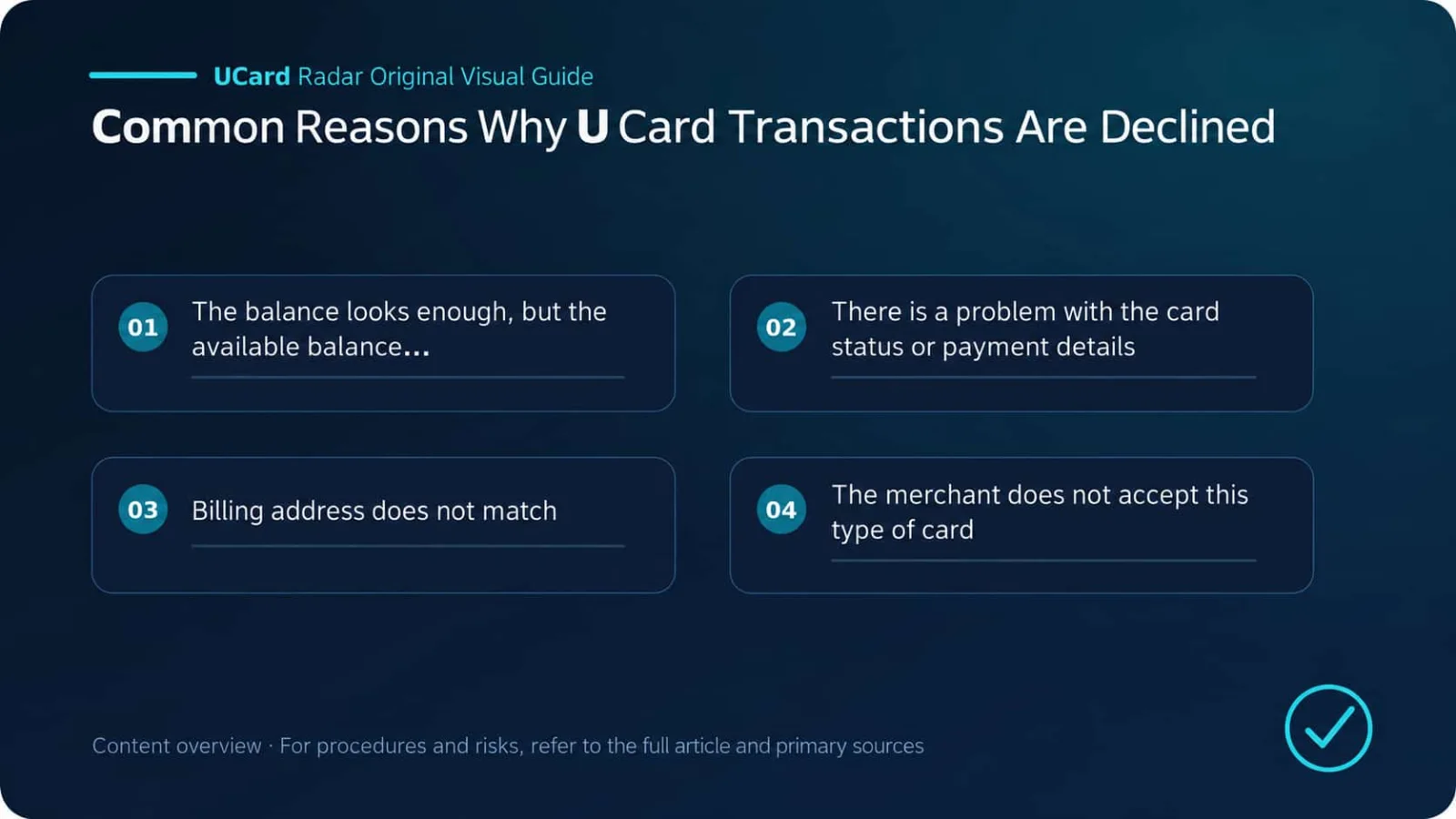
1. The Balance Looks Sufficient, but the Available Balance Is Not
This is one of the most common situations.
The total balance shown in a U-Card account does not necessarily equal the amount available for the transaction. Authorization is based on the available balance, which may already be reserved by other transactions.
The settlement amount is higher than the displayed price
The price shown on an overseas website may not be the final amount charged. Sales tax, VAT, service fees, delivery fees, or tips may be added when the order is submitted.
For example, an item priced at $20 may result in a final charge of $22. If the card contains exactly $20, the payment may be declined for insufficient funds.
Currency conversion creates additional costs
If the card's settlement currency differs from the merchant's charging currency, foreign-exchange conversion will be involved. Some platforms may charge an FX conversion fee, and the exchange rate used at authorization may differ from the rate used at clearing.
Funding the card with exactly the amount calculated using the real-time exchange rate is risky. When currency conversion is involved, leave some extra balance.
Preauthorizations or pending transactions have tied up funds
Hotels, car rental companies, and gas stations often place a preauthorization hold first. Some merchants may also initiate a small test transaction when validating the card.
Subscription renewals, duplicate orders, and orders that have not yet been reversed may also temporarily reserve part of the balance. In that situation, the total balance may look sufficient while the available balance is not.
When troubleshooting, focus on:
The available balance, not the total account balance;
Whether there are any Pending or processing transactions;
Whether you recently paid for a hotel, car rental, fuel, or subscription;
Whether refunds and reversals have actually been credited.
2. The Card Status or Payment Details Are Incorrect
If the balance is not the problem, check the card itself.
The card is frozen, expired, or not yet activated
A card may have been manually frozen by the user, or restricted by the system because of repeated failed transactions, changes in login devices, or an account review. Physical cards and some virtual cards may also require activation before use.
If the platform changes its issuing partner, an old card may be deactivated early. Even if the printed expiry date has not been reached, the card may no longer work.
Confirm whether the card:
Has been activated;
Shows Active or another normal status;
Is not temporarily frozen;
Is still within its validity period;
Has not been replaced by a new card;
Has online payments or the relevant transaction permissions enabled.
The card number, expiry date, or CVC was entered incorrectly
Common mistakes when manually copying card details include missing a digit, using an old card number, reversing the expiry-date format, or allowing the browser to autofill an outdated CVC.
Some virtual cards use dynamic security codes, meaning the CVC changes periodically. If you see incorrect_cvc, return to the official app and check the current information instead of relying on data saved in the browser.
The cardholder name should also be entered in the exact format provided by the platform. Do not add titles, abbreviations, or special characters arbitrarily.
3. The Billing Address Does Not Match
The billing address is a common source of U-Card payment failures.
Some merchants use address verification systems to compare the postal code, street address, or issuing country. If the information entered does not match the issuer's records, the transaction may fail immediately.
A common mistake is using your actual residential address as the card's billing address. They are not necessarily the same. When a payment page asks for a Billing Address, use the address provided by the U-Card platform first; use the actual delivery address for shipping.
Also check:
Whether the postal code is correct;
Whether the country, state, and city correspond to one another;
Whether the account region conflicts with the billing country;
Whether the platform provides only a postal code rather than a full address.
Some merchants verify only the postal code, while others also evaluate the issuing country, IP address, and account region. The rules are not consistent, so it is entirely possible for the same card to work on one website and fail on another.
4. The Merchant Does Not Accept This Type of Card
A Visa or Mastercard logo only means the card operates on that network. It does not mean every merchant is required to accept it.
U-Cards may be identified as prepaid cards, debit cards, virtual cards, commercial cards, or foreign-issued cards. Merchants may reject certain categories under their own policies.
Restrictions on prepaid and virtual cards
Hotels, car rental companies, advertising platforms, cloud services, and some subscription websites often impose more restrictions on prepaid or virtual cards. This is usually related to deposits, subsequent charges, and fraud risk.
Some situations explicitly require a credit card. Even with sufficient balance, a U-Card may fail if it is identified as a debit or prepaid card.
The issuing country is not supported
Many digital-content services, app stores, and local membership services accept only cards issued in specified countries. Merchants can identify the issuing region through the BIN, and changing the billing address usually cannot bypass this restriction.
If the error is card_not_supported, check the card type and issuing country first rather than repeatedly changing the name or address.
5. The Card Does Not Support This Type of Transaction
Different U-Cards expose different transaction capabilities. Some are suitable only for ordinary online purchases, some support in-person payments and ATM withdrawals, and some disable subscriptions, advertising, or financial transactions.
Recurring payments are not supported
Subscription services such as ChatGPT, Claude, Midjourney, Netflix, and Spotify typically use recurring billing. If the card does not support Recurring Payment, the first payment may fail, or the first month may succeed while the renewal is declined.
In-person or ATM transactions are not supported
Some virtual cards can only be used online. Even if a card can be added to Apple Pay or Google Pay, that does not necessarily mean it supports in-person contactless payments.
The same applies to ATMs. Some products do not offer cash withdrawals at all, while others allow withdrawals only with a physical card.
Merchant categories are restricted
Issuers can restrict transactions based on Merchant Category Codes, or MCCs. Common restricted categories include cryptocurrency, gambling, money transfers, cash equivalents, adult content, financial investments, and gift cards.
Some cards also restrict advertising spend or cloud services. The exact rules depend on the platform and the issuer's card agreement.
6. Regional Information Is Too Inconsistent
Merchant risk systems usually do not look only at the card. They may evaluate several data points together, such as:
Account registration region;
Current IP address;
Phone-number country code;
Card issuing region;
Billing address;
Region associated with the merchant account.
If these details are spread across multiple countries, the transaction is more likely to be flagged as abnormal. For example, an account may be registered in Singapore, accessed from an IP address in mainland China, use a card issued in the United States, and submit a UK billing address. Each factor may be acceptable on its own, but the combination can look suspicious.
A VPN is not a universal solution. A stable and reasonable usage environment is generally safer than frequently changing IP addresses.
7. 3-D Secure Authentication Did Not Pass
3-D Secure, commonly abbreviated as 3DS, is a common identity-verification process for online card payments. Users may need to enter a code received by SMS or email, or confirm the payment in the issuer's app.
Common problems include:
The card itself does not support 3DS;
The bound phone number or email address is incorrect;
The verification email went to spam;
App notifications are disabled;
The verification popup was blocked by the browser;
Third-party cookies are disabled;
The verification session timed out;
The verification code was entered incorrectly.
If the page shows authentication_required, the transaction requires authentication to be completed. If it shows authentication_failed, authentication was initiated but did not succeed.
Try another browser or incognito mode, and disable extensions that might block popups. However, do not repeatedly resubmit the same transaction, as that may trigger additional risk controls.
8. The Issuer or Merchant Actively Blocked the Transaction
Even when the balance, address, and card details are correct, a transaction may still be declined because of risk controls.
Issuer-side risk controls
The following behaviors are more likely to trigger issuer security rules:
Too many transactions within a short period;
Multiple consecutive small test charges;
A first transaction that is unusually large or made with a high-risk merchant;
Repeatedly entering the wrong CVC;
Spending in different countries within a short period;
A transaction amount that differs significantly from normal spending;
The same card details being used across multiple accounts;
The account being under KYC or source-of-funds review.
Common messages include do_not_honor, generic_decline, restricted_card, or transaction_not_allowed. These are broad outcomes, and the merchant usually cannot see the issuer's specific reasoning.
Merchant-side risk controls
The transaction may also be blocked before it ever reaches the issuer.
Merchants may evaluate account age, device fingerprint, IP address, shipping address, BIN, previous failed-payment count, and order frequency. A new account immediately purchasing an expensive item, rapidly switching between several cards, or repeatedly retrying after a failure may all be treated as suspicious.
A simple way to identify which side is causing the problem is to make a small test payment with a normal merchant.
If another merchant accepts the card, the card itself is probably functioning normally and the issue is more likely related to the original merchant's compatibility or risk controls. If every merchant fails, then check the issuer, account status, or platform payment channel.
9. Preauthorizations, Limits, and KYC Status
All three can create a situation where the card has funds but cannot be used.
The preauthorization amount is higher than the actual purchase amount
Hotels, car rental companies, and gas stations often authorize more than the final amount. For example, for an expected $100 purchase, the merchant may initially hold $200 as a deposit. If the card has only $150, the transaction will not be authorized.
The merchant determines the preauthorization amount, and a U-Card platform usually cannot provide an exact figure in advance. Scenarios requiring large deposits are inherently less suitable for prepaid cards with limited balances.
A transaction limit has been reached
A U-Card may impose separate per-transaction, daily, monthly, ATM, online-payment, and contactless limits. Accounts that have not completed advanced KYC usually have lower limits.
Once any applicable limit is reached, transactions may be declined even if the card still has funds.
The account is under review
Expired identity documents, missing proof of address, failed facial verification, pending source-of-funds checks, or a user's region no longer being supported may all lead to account restrictions.
Some platforms still allow users to log in and view their balance during a review, while suspending spending and withdrawals. A “normal” card status alone may not reveal this type of restriction, so check account notices and the KYC page as well.
10. Funds Have Arrived, but That Does Not Mean the Card Can Be Used Yet
On some platforms, the wallet account and card account are separate.
After USDT or USDC arrives, you may still need to wait for blockchain confirmations, complete a conversion, or manually transfer funds to the card balance. Deposit fees and conversion fees may also reduce the final credited amount.
Check:
Whether the on-chain deposit is confirmed;
Whether the wallet balance has been credited;
Whether a manual transfer is required;
Whether the stablecoin has been converted;
Whether the card's available balance has updated.
Money reaching the platform does not necessarily mean it has reached the card.
11. Why Did the First Subscription Payment Succeed but the Renewal Fail?
Subscription renewal failures are common and do not necessarily mean the merchant suddenly stopped accepting the card.
Possible reasons include:
Insufficient balance at renewal;
A subscription price increase or tax change;
The original card expired or was replaced;
The card no longer supports recurring payments;
The merchant rechecked the billing address;
The issuing BIN was restricted by the merchant;
The merchant required 3DS authentication again;
The platform changed the card number or CVC.
After replacing the card, remember to update the payment details saved by the merchant. Updating only the card number while leaving the old expiry date or CVC may still cause the renewal to fail.
12. Temporary Platform or Payment-Channel Issues
If a card that normally works suddenly fails across multiple merchants at the same time, the problem may not be on the user's side.
Common causes include issuer-system maintenance, payment-processor failures, delayed balance synchronization, stablecoin-conversion outages, BIN migrations, or a platform changing its underlying issuing partner.
These incidents often have several characteristics:
More than one merchant fails;
Many users report the same issue at the same time;
Transactions remain processing for an unusually long time;
The platform publishes maintenance or card-replacement notices;
Support receives many identical complaints.
If only one merchant fails, investigate merchant restrictions first. If multiple merchants fail simultaneously, then consider the platform or issuing channel.
13. How to Interpret Common Error Codes
Different platforms translate error messages differently. The following codes should only be used to identify the likely direction of the problem.
Error | Common meaning | Check first |
|---|---|---|
insufficient_funds | Insufficient available balance | Taxes, exchange rate, preauthorizations, pending transactions |
incorrect_number | Incorrect card number | Whether the currently valid card number was copied |
incorrect_cvc | Incorrect security code | Dynamic CVC, outdated browser-saved information |
expired_card | Card has expired | Whether the card must be replaced or payment details updated |
authentication_required | 3DS authentication required | SMS, email, app notifications, verification popup |
authentication_failed | 3DS authentication failed | Verification code, timeout, whether the card supports 3DS |
card_not_supported | Merchant does not accept the card | Card type, BIN, issuing country |
transaction_not_allowed | Transaction type is not permitted | MCC, region, card permissions, limits |
restricted_card | Card is restricted | Freeze status, account review, issuer risk controls |
do_not_honor | Generic issuer decline | Contact the platform and avoid repeated retries |
generic_decline | Decline without a disclosed specific reason | Test a small payment with another merchant, then contact the platform |
processing_error | Technical error occurred during processing | Try again later or use another payment method |
duplicate_transaction | System identified a duplicate transaction | Wait for the original result and do not resubmit |
14. If a Transaction Is Declined, Troubleshoot in This Order
Check the available balance first
Make sure the balance covers the product price, taxes, currency-conversion costs, and any possible preauthorization. Also check for Pending transactions.Check the card and account status
Confirm that the card is activated, not frozen, not expired, and not replaced by a new card. Also check whether there are pending KYC or source-of-funds review items.Recheck the payment details
Copy the card number, expiry date, and CVC again from the official app. Verify the cardholder name, billing address, and postal code.Check the merchant's requirements
Confirm whether the merchant accepts prepaid, virtual, and foreign-issued cards, and whether it requires a credit card, 3DS, or recurring billing support.Check limits and transaction permissions
Review per-transaction, daily, and monthly limits, as well as whether online payments, ATM withdrawals, subscriptions, and other functions are enabled.Make a small test payment with another merchant
If another merchant succeeds, the issue is usually specific to the original merchant. If all merchants fail, the card, account, or issuing channel is more likely to be the cause.Do not keep retrying
Repeatedly submitting the same order may trigger both merchant and issuer risk controls. After two or three failures, stop and investigate.Contact the platform
Provide customer support with the transaction time, amount, currency, merchant name, error message, and transaction ID. Never send your full card number, full CVC, or SMS verification code.
15. When Is It More Than an Ordinary Payment Failure?
A single declined transaction is common. The more concerning situation is when several abnormal signals appear at the same time:
Payments fail at all merchants;
Many users report failures at the same time;
Deposits and withdrawals are both delayed;
Cards are being cancelled or replaced in bulk;
The platform undergoes frequent maintenance without providing a recovery time;
Customer support remains unreachable for a long period;
The platform cannot explain how refunds or remaining balances will be handled;
Users are told they must deposit more funds to解除 a freeze.
When these signals appear, the problem may involve the underlying issuing partnership, funding channel, or the platform's operations. In that situation, avoid adding more funds to the card and first try to reduce the remaining balance.
A declined U-Card transaction is more often caused by insufficient available funds, card-type restrictions, 3DS, billing-address mismatches, or risk controls. It does not automatically mean the entire card has stopped working.
When troubleshooting, first determine whether “one specific merchant does not work” or “the card fails everywhere.” The former is usually more closely related to merchant rules, while the latter requires closer attention to card status, account review, and platform payment channels.
Do not keep pressing Pay after a failure. Check the available balance first, then verify the card details, merchant requirements, and 3DS. If the cause is still unclear, contact the platform with the transaction time, amount, and error message. This process is usually more effective than blindly replacing the card.
Sources and Scope of Conclusions
Primary-source verification: Visa Core Rules and Visa Product and Service Rules; Mastercard Transaction Processing Rules; What should I do if my prepaid card or PIN is lost or stolen, or I see unauthorized charges?.
Verifiable facts in this article concerning authorization, balances, issuer rules, and merchant rules for declined U-Card transactions are based on the official or regulatory documents listed above. Actual service status, fees, eligibility, and regional availability should be confirmed on the issuer's or platform's pages at the time of application.
Different issuers, regions, account tiers, and merchant rules may produce different outcomes. User experiences, success rates, fee comparisons, or trend assessments not directly disclosed in the primary sources above are analysis or inference and have not been officially confirmed by the relevant institutions for individual cases.