
For users whose local bank cards cannot complete international subscriptions, or who want to separate overseas subscriptions from their everyday bank cards, virtual cards are a common payment tool.
But having a Visa or Mastercard virtual card does not automatically mean that it can be used to subscribe to ChatGPT.
Whether a payment succeeds mainly depends on the card’s actual capabilities: whether it supports international online transactions, recurring charges, and any required identity verification; whether the billing address matches; whether the available balance is sufficient; and whether both the user and the card issuer are located in regions supported by OpenAI.
OpenAI does not publish a fixed “virtual card whitelist.” Its official payment troubleshooting page mainly asks users to check their card details, billing address, location, card-issuing region, and bank restrictions. If the issue cannot be resolved, users may try another payment method. OpenAI credit card decline troubleshooting
Therefore, when determining whether a virtual card can pay for ChatGPT, the key issue is not the word “virtual,” but whether the card can complete a subscription transaction like a normal international bank card.
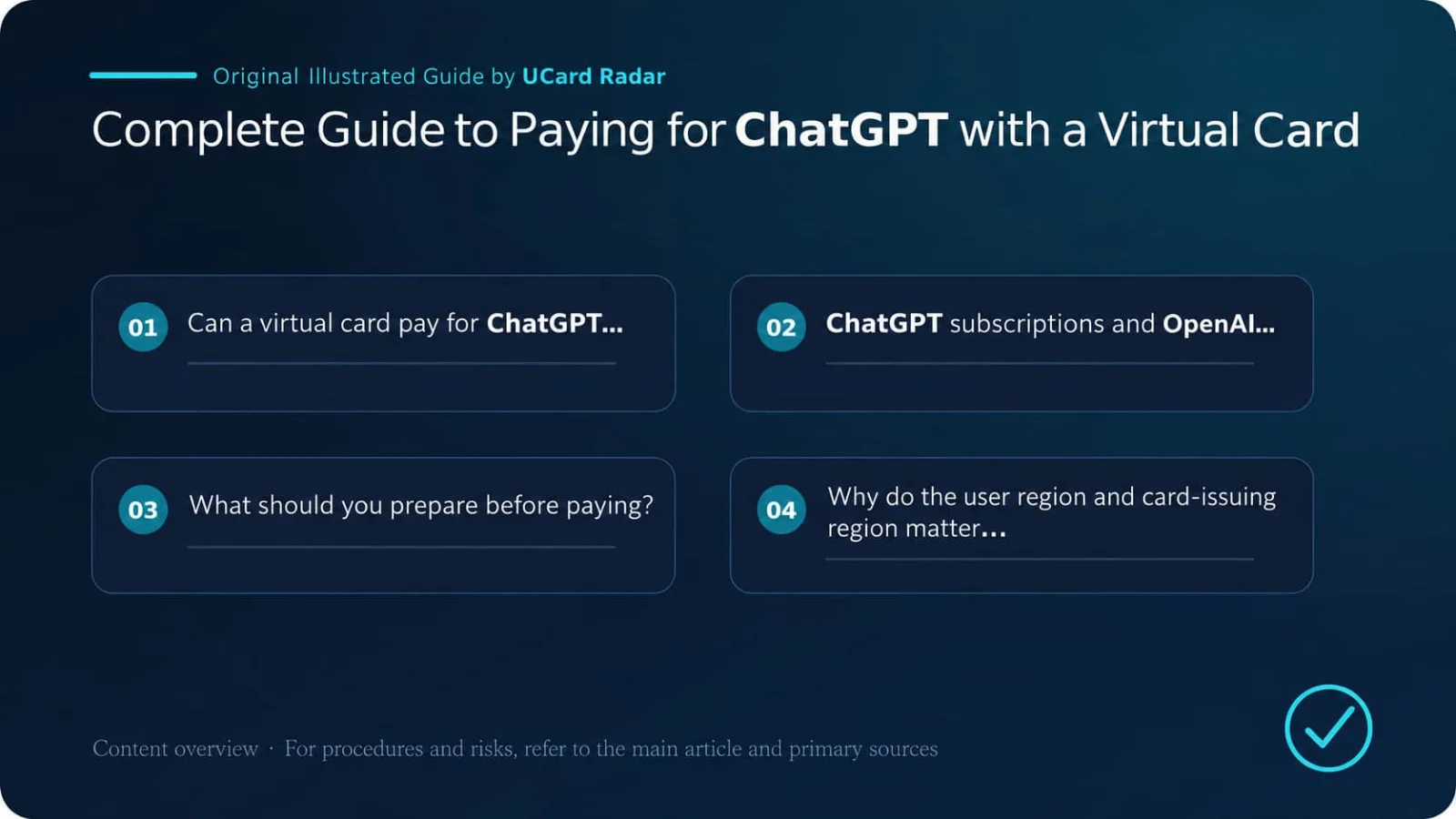
Sources and Scope of Conclusions
Primary-source verification: ChatGPT supported countries; Which payment methods are supported for ChatGPT?; Why was my credit card declined?.
The verifiable facts in this article regarding supported regions, payment methods, and card-decline reasons when using a virtual card for ChatGPT subscriptions are based on the cited official or regulatory materials. Actual service availability, pricing, eligibility, and regional coverage should be confirmed on the issuer’s or platform’s pages at the time of application.
Different issuers, regions, account tiers, and merchant rules may produce different outcomes. User experiences, success rates, fee comparisons, or trend assessments that are not directly disclosed by the primary sources above are analytical observations or inferences and have not been officially confirmed by the relevant institutions for individual cases.
1. Can a Virtual Card Be Used to Pay for ChatGPT?
Yes, but not every virtual card will work.
A virtual card suitable for paying for ChatGPT usually needs the following capabilities:
Check item | Recommended status |
|---|---|
Card network | An international card network accepted on the checkout page |
Online transactions | Enabled |
International transactions | Enabled |
Recurring subscription | Supported |
Subsequent merchant charges | Supports Merchant-Initiated Transactions |
Authentication | Able to complete 3-D Secure or similar verification |
Billing information | A real and matching billing address is available |
Card validity period | Long enough to cover future renewals |
Available balance | Higher than the subscription price plus possible taxes |
Refund handling | A refund channel remains available even if the card later becomes invalid |
Some virtual cards can only complete one-time purchases and do not allow merchants to charge them automatically later. Even if such a card works for the first payment, it may fail when the subscription renews the following month.
Single-use card numbers, disposable virtual cards, and products that frequently rotate card numbers are generally unsuitable for long-term subscriptions.
2. ChatGPT Subscriptions and OpenAI API Billing Are Not the Same Thing
This distinction must be clear before making payment.
ChatGPT personal subscriptions and OpenAI API usage are billed through two separate billing systems. Even when the same OpenAI account is used, plans, balances, and invoices are not automatically shared between them.
In simple terms:
ChatGPT Go, Plus, and Pro are personal subscriptions;
ChatGPT Business is a workspace subscription;
OpenAI API usage is billed separately based on actual API platform usage;
Purchasing a ChatGPT subscription does not grant an equivalent amount of API credits;
Adding funds to an API account does not activate a paid ChatGPT plan.
OpenAI’s current payment troubleshooting guidance also specifically notes that prepaid cards cannot be used to purchase API Credits, and that API credits require a standard credit or debit card. This limitation applies to API Credits and should not be interpreted as meaning that “all prepaid cards are unable to purchase ChatGPT subscriptions.” OpenAI credit card decline troubleshooting
Therefore, before deciding whether a card is usable, first confirm whether you are paying for a ChatGPT subscription or an OpenAI API bill.
3. What Should You Prepare Before Payment?
A ChatGPT Account You Can Control Long Term
Make sure you can sign in normally and remember the original login method, such as email, Google, Apple, or Microsoft.
If you use Sign in with Apple, check whether “Hide My Email” is enabled. Subscription benefits are tied to the ChatGPT account that is logged in at the time of payment and will not automatically transfer to another email address or account that you believe should receive them.
Before paying, it is best to check your profile picture, email address, and current plan to avoid signing in to the wrong account when you use multiple Google or Apple accounts.
A Virtual Card That Supports Subscriptions
At minimum, you should have the following information:
Card number;
Expiration date;
CVC or CVV;
Cardholder name;
Issuing country or region;
Billing address;
Postal code.
Having only the card number, expiration date, and CVV may not be enough to complete payment. OpenAI’s official troubleshooting guidance explicitly recommends checking the billing address and postal code.
If a virtual card platform does not provide a billing address and cannot clearly identify the card’s issuing country, that card is more likely to fail with subscription merchants that perform address verification.
Available Balance Higher Than the Displayed Price
Do not fund the card with exactly the amount shown as the subscription price.
The final charge may also be affected by:
Local taxes;
Currency-conversion fees charged by the issuing platform;
Cross-border transaction fees;
Stablecoin conversion spreads;
Virtual card service fees;
Small verification charges or pre-authorizations;
Exchange-rate movements.
The total account balance may also differ from the card’s actual available balance. Some platforms lock collateral, reserve service fees, or require users to transfer funds separately from the wallet balance into the card account.
A safer approach is to keep the card’s available balance above the amount estimated on the checkout page and leave a reasonable buffer.
4. Why Do the User’s Region and the Card-Issuing Region Matter?
OpenAI only provides services in the countries and regions it supports, and the payment card should also be issued by a financial institution in a supported region. OpenAI’s official payment troubleshooting guidance asks users to confirm both their own location and the card-issuing region.
The following situations may cause payment failure:
The user is actually located in an unsupported region;
The virtual card is issued in an unsupported region;
The billing-address country does not match the card-issuing country;
The user profile, device location, and card region remain inconsistent over time;
A payment tool is being used to bypass regional restrictions.
OpenAI states that accessing services from unsupported regions, or providing access to unsupported regions, may result in account restrictions or suspension. Supported regions can change, so users should check the latest ChatGPT supported countries and regions before paying.
It is also important to distinguish among three separate concepts: the settlement currency shown on the page, the user’s actual location, and the card-issuing region. The fact that a checkout page displays a particular currency does not mean that users in every region are eligible to purchase.
A virtual card can provide international payment functionality, but it cannot lawfully change the user’s actual region.
5. What Kind of Virtual Card Is Better for a ChatGPT Subscription?
Supports Recurring Charges
ChatGPT personal paid plans generally renew automatically according to the subscription cycle. The card must allow the merchant to initiate charges on later billing dates.
Card platforms may use names such as:
Recurring Payment;
Subscription Payment;
Merchant-Initiated Transaction;
Card-on-File Payment.
If a card is explicitly marked “one-time purchases only,” it is not suitable for a long-term subscription even if the first payment succeeds.
Supports International Online Transactions
Some virtual cards only allow domestic merchant transactions, or disable overseas e-commerce payments by default.
Before paying, check the card settings for:
Online Payment;
International Payment;
Overseas Transaction;
E-commerce;
Recurring Payment.
If these permissions are enabled but the transaction is still declined, contact the card issuer to determine whether the merchant or merchant category is being blocked.
Can Complete 3-D Secure Verification
3-D Secure is a common cardholder-authentication mechanism for online card payments. During payment, users may be asked to enter an SMS code, approve the payment in an issuer app, follow a browser redirect, or complete fingerprint or facial verification.
If a card has no authentication channel, cannot receive a verification code, or the platform does not support 3DS at all, it is more likely to fail when additional authentication is required.
The browser may also block the verification page. During payment, allow pop-ups and page redirects, and avoid repeatedly refreshing or closing the page during authentication.
Provides Real Billing Information
The billing country, city, state or province, and postal code should match the records held by the card issuer.
A product that only sells a card number but tells users to “just find any U.S. address” is not suitable for subscriptions that require stable long-term renewals. A random address may fail address verification and may also create obvious inconsistencies between the account and card information.
Card Number Can Be Used Long Term
A card suitable for subscriptions should remain relatively stable during its validity period and support merchants storing the payment method.
If the card number changes frequently, the program repeatedly changes BINs, or the platform may cancel old cards at any time, future renewals and refunds become more difficult.
6. Paying for ChatGPT with a Virtual Card on the Web
1. Sign In to the Correct Account
Open the official ChatGPT website and sign in. Confirm that the current account is the one you intend to subscribe with.
After a successful subscription, the benefits are tied to the account that was logged in during payment. Before paying, verify the account email address, especially if you use Google, Apple, and multiple email accounts.
2. Open the Upgrade Page
Open the plan-upgrade page from the ChatGPT personal menu or settings.
Available plans can vary by account and region. The current price, models, usage limits, and features should be confirmed on the official ChatGPT pricing page and the checkout page shown to your account at the time of payment.
Do not accidentally choose a more expensive plan just to test whether a card works.
3. Enter the Virtual Card Details
Fill in the checkout page with:
Card number;
Expiration date;
CVC;
Cardholder name;
Country or region;
Billing address;
Postal code.
The cardholder name shown in the card details should be used first. If the card does not separately display a cardholder name, use the legal name registered with the card platform.
Do not arbitrarily enter “CARD HOLDER,” “USER,” or an unrelated English name unless the issuer explicitly instructs you to do so.
4. Complete Authentication
After submitting the payment, if a 3-D Secure or other authentication page appears, complete it according to the issuer’s instructions.
This may require entering an SMS code, opening the card app to approve the transaction, or completing face or fingerprint verification.
Do not repeatedly refresh the page during payment. If no authentication page appears, check whether the browser is blocking pop-ups, cross-site redirects, or third-party authentication pages.
5. Confirm That the Subscription Is Active
After payment, check all of the following:
The current plan shown in the ChatGPT account;
The virtual card transaction status;
The payment confirmation in the registered email inbox;
The next renewal date;
The invoice or receipt.
A pending transaction on the card side does not necessarily mean the subscription succeeded. The ChatGPT plan status and the final posted transaction should be treated as the decisive indicators.
7. How Should the Billing Address Be Entered?
The billing address is one of the most common sources of error when using a virtual card to pay for ChatGPT.
It is not the shipping address and is not necessarily the user’s current residential address. It is the Billing Address registered for that card by the issuing institution.
Suppose the virtual card platform shows:
Country: United States
State: New York
City: New York
Street Address: The specific address registered by the card platform
ZIP Code: The corresponding postal code
Then the checkout page should be filled in using those details.
The most important fields to keep consistent are country, state or province, city, street spelling, and postal code. Uppercase and lowercase letters are generally less important, while a mismatch between country and postal code is more likely to cause verification failure.
If the platform only provides the card number and does not provide a billing address, contact customer support first. Do not search online for a random address to fill in the missing information.
8. Why Can a Virtual Card Payment for ChatGPT Fail?
Payment failure can occur at any layer involving OpenAI, the payment processor, the card network, or the card issuer.
Incorrect Card Details
First verify the card number, expiration date, CVC, and cardholder name. Make sure the expiration month and year have not been reversed, and check whether the card has expired, been frozen, or has not yet been activated.
Billing Address Mismatch
Common errors include:
Using a residential address as the card’s billing address;
Entering the wrong country;
Using a postal code that does not match;
Using a state and city that do not correspond;
Using a random address;
Arbitrarily changing the address format.
OpenAI’s official troubleshooting page explicitly recommends rechecking the billing address and card information.
Insufficient Available Balance
You need to account for the subscription amount, taxes, exchange fees, and platform fees.
Some card platforms show the total wallet assets, while the balance actually available for card transactions is lower. Before paying, check “Available Balance” or “Card Balance” rather than only the total account assets.
International or Online Payments Are Disabled
Some cards disable overseas e-commerce transactions by default. Check permissions such as Online, International, E-commerce, and Recurring.
The Card Does Not Support Recurring Subscriptions
Some virtual cards are designed only for one-time purchases. Once the issuer identifies the transaction as a subscription, it may reject the first payment or allow the first payment but reject the second month’s renewal.
3-D Secure Was Not Completed
Common signs include a blank authentication page, no verification code being received, an error even after successful authentication, or a page returning “Authentication Required.”
In this situation, try clearing the cache and cookies, using an incognito window, allowing pop-ups, or switching browsers or devices. If the problem continues, contact the issuer to confirm whether 3DS is available.
The Issuer Actively Blocks the Transaction
OpenAI usually cannot see the full decline reason returned by the bank. Its official guidance recommends contacting the card issuer directly, which is often the fastest way to identify the cause. OpenAI credit card decline troubleshooting
You can ask the issuer:
Whether this transaction was blocked;
Whether international online subscriptions are allowed;
Whether the merchant is supported;
Whether manual approval is required;
Whether account risk controls were triggered;
Whether future automatic merchant renewals are allowed.
Region Not Supported
If the user’s location or the card issuer’s location is outside OpenAI’s supported regions, changing browsers, modifying the billing address, or repeatedly switching cards usually will not solve the underlying issue.
Frequently changing IP addresses, addresses, and cards from different countries may instead increase payment risk-control scrutiny.
Checkout Page Issues
Browser cache, ad blockers, and redirect restrictions can also interfere with payment.
You can try:
Clearing cache and cookies;
Using an incognito window;
Switching browser or device;
Allowing pop-ups and redirects;
Temporarily disabling extensions that may block payment pages;
Signing back in to the correct ChatGPT account.
9. How Should You Troubleshoot After a Payment Failure?
Do not repeatedly resubmit the same card. Multiple failures in a short period may cause the issuer or payment system to impose additional restrictions.
A recommended troubleshooting order is:
Check the card number, expiration date, CVC, and card status;
Verify the billing address and postal code;
Confirm that the available balance is higher than the expected total charge;
Check international, online, and recurring-transaction permissions;
Confirm that 3-D Secure can be completed normally;
Clear the cache and sign in again using an incognito window;
Contact the issuer to ask for the decline reason;
If possible, switch to another compliant payment method.
If the issuer clearly states that the card does not support international subscriptions, recurring charges, or 3DS, repeatedly trying the same card is usually pointless.
10. What Is the Difference Between Web, iPhone, and Android Subscriptions?
ChatGPT subscriptions may be managed through three different platforms:
Subscription channel | Who processes the payment | Where it is managed |
|---|---|---|
chatgpt.com web | OpenAI web billing system | ChatGPT account settings |
iPhone or iPad | Apple App Store | Apple account subscriptions |
Android | Google Play | Google Play subscriptions |
When subscribing through Apple, payment methods, cancellation, and refunds are mainly managed by Apple. When subscribing through Google Play, the subscription is managed through the Google account.
Adding a virtual card to Apple ID or Google Play does change the payment route, but it does not mean the success rate will necessarily be higher. It still depends on whether Apple or Google accepts the card, whether the account and card regions match, and whether the card supports app-store subscriptions.
App-store payments also cannot be used to bypass OpenAI’s regional requirements.
Avoid Duplicate Subscriptions
Do not subscribe simultaneously through web, Apple, and Google.
OpenAI notes that each platform manages the subscription created through that platform separately. If an old subscription has not been cancelled and you purchase again on another platform, you may end up with multiple subscriptions and duplicate charges. OpenAI duplicate-subscription guidance
Before switching subscription channels, cancel the original subscription first and confirm that it will not continue renewing.
Pay particular attention to Apple renewal failures. A subscription that appears temporarily inactive does not necessarily mean Apple has fully cancelled it. Apple may continue attempting to restore the charge. If you then subscribe again on the web and later update the Apple payment method, you may end up with two active subscriptions.
11. How Can You Ensure Renewal Works Next Month?
A successful first payment does not guarantee that future renewals will work automatically.
Before the renewal date, check:
Whether the card is still valid;
Whether the card number has changed;
Whether the card has been frozen;
Whether the balance is sufficient;
Whether recurring-payment permission is still enabled;
Whether the card platform has changed the BIN or issuing institution;
Whether any new authentication requirement has been introduced.
When funding a virtual card with USDT, also consider the time required for on-chain confirmation, platform crediting, stablecoin conversion, and transfer from the wallet balance into the card account.
Do not wait until the renewal day to add funds. Ideally, confirm in advance that the Card Balance is sufficient rather than merely transferring USDT into the platform wallet.
Update the Payment Method After Replacing the Card
Web subscriptions can update the card through the account or payment-management page in ChatGPT settings. Apple or Google subscriptions must be updated through the relevant Apple ID or Google Play account.
Updating the card only on the ChatGPT website does not change the payment method managed by Apple or Google.
12. Invoices, Cancellation, and Refunds
Where Can You Download an Invoice?
Plus or Pro users who subscribed on the web can open the account page in ChatGPT settings, select Payment or Manage, and then download past invoices from Invoice History in the billing portal.
Receipts for Apple and Google subscriptions do not appear in the ChatGPT web billing portal and must be checked in the corresponding app store. API invoices are also managed separately on the API platform. OpenAI invoice lookup guidance
If the billing history is empty, first confirm that you are signed in to the correct account or workspace.
How Do You Cancel the Subscription?
Web subscriptions can be cancelled through Billing, Account, or plan-management options in ChatGPT settings. To avoid entering the next billing cycle, OpenAI recommends cancelling at least 24 hours before the next billing date.
Apple subscriptions must be cancelled in the Apple account, while Google Play subscriptions must be cancelled in Google Play. Deleting the ChatGPT app does not automatically terminate an app-store subscription. OpenAI subscription cancellation guidance
After cancellation, paid benefits can generally continue until the end of the current billing period.
Can You Request a Refund?
Web users should sign in to the OpenAI account that was actually charged, then submit the request through the chat entry in the OpenAI Help Center. OpenAI states that eligible web refunds are generally completed within 5 to 7 business days after processing. Accidental purchases should generally be reported within 14 days of the charge.
Refunds for Apple subscriptions must be requested from Apple. According to OpenAI’s current guidance, Google Play subscribers may submit refund requests through the Help Center; eligible refunds are generally completed within 10 business days after processing. Residents of the EU, UK, and Turkey may also be subject to applicable refund rules allowing cancellation within 14 days of purchase. OpenAI refund guidance
Final refund eligibility is determined by the platform’s review.
Can You Still Receive a Refund After the Virtual Card Is Closed?
Refunds are generally returned through the original payment route.
If the original virtual card has been closed, replaced, or expired, contact the card platform to confirm whether a refund to the old card will be credited to the original account, automatically forwarded to the replacement card, or require manual claiming.
Do not casually close the payment card before the refund process is complete. The most difficult aspect of single-use and short-term cards is often not making the payment, but receiving a refund several weeks later.
13. What Are the Risks of Paying for ChatGPT with a Virtual Card?
Virtual cards are useful for separating subscription spending, but they also involve practical risks.
First, the card program may change its issuer, BIN, or card number, causing future renewals to fail.
Second, the virtual card platform may charge stablecoin conversion fees, deposit fees, cross-border transaction fees, and membership fees. The price shown on the checkout page may therefore differ from the final cost.
Third, closing the card can make refund handling more difficult. Subscriptions that may be used long term or may require a refund are not well suited to single-use card numbers.
Fourth, long-term inconsistencies between the user’s actual region, card-issuing region, and billing address may cause payment failure or account review.
Users should also avoid purchasing pre-made accounts that already have ChatGPT subscriptions. Buyers often cannot control the original email address, Apple or Google account, payment history, or password-recovery channel. If a dispute occurs later, proving account ownership can also be difficult.
A safer approach is to use your own ChatGPT account and a payment tool that you can control long term.
14. Pre-Payment Checklist
Check item | Recommended status |
|---|---|
ChatGPT account | Confirmed that the correct account is signed in |
User region | Within an OpenAI-supported region |
Card-issuing region | Within an OpenAI-supported region |
Card status | Activated and not frozen |
Online transactions | Enabled |
International transactions | Enabled |
Recurring subscription | Supported |
3-D Secure | Authentication can be completed |
Billing address | Matches the issuer’s records |
Postal code | Correctly matched |
Available balance | Higher than the subscription price and estimated taxes |
Card validity period | Long enough to cover future renewals |
Refund channel | Still available if the card later becomes invalid |
Subscription channel | Only one active subscription across web, Apple, and Google |
15. Frequently Asked Questions
The First Payment Worked. Why Did the Second Month Fail?
Common reasons include insufficient balance, a changed card number, recurring payments being disabled, the issuer blocking the renewal, or the platform changing its underlying issuing arrangement.
I Was Charged. Why Is My Account Still on the Free Plan?
First confirm that you are signed in to the same ChatGPT account used during payment, and check whether you accidentally used another Google, Apple, or email account.
If the bank transaction still shows Pending or Authorized, it may only be a pre-authorization rather than a final charge.
Can a Single-Use Virtual Card Be Used?
The first transaction may succeed, but such cards are not suitable for long-term subscriptions. Automatic renewals, refunds, and transaction disputes may all be affected once the card number becomes invalid.
Can USDT Be Used Directly to Pay for ChatGPT?
OpenAI’s web checkout does not provide all users with a direct way to transfer USDT to OpenAI.
When people say they are “paying for ChatGPT with USDT,” they usually mean funding a virtual-card platform with USDT, after which the platform converts or settles the funds into fiat, and the final payment is completed as a normal bank-card transaction.
Can One Virtual Card Pay for Multiple ChatGPT Accounts?
Whether this is technically allowed depends on the issuer and payment system, but frequently paying for a large number of unrelated accounts may trigger merchant or issuer risk controls.
For individual users, it is better to keep the account, payment method, and billing information consistent.
Will Money Be Taken If the Payment Fails?
Some failed transactions may temporarily appear as Pending or Authorized and later become Reversed rather than ultimately becoming Completed.
If the transaction has failed but the balance remains unavailable for a long period, contact the card platform to ask about the pre-authorization release timeframe.
A virtual card can be used to pay for ChatGPT, but the determining factor is not whether the card is physical or virtual. What matters is whether it has the full set of capabilities required for subscription payments.
Before paying, confirm that:
Both the user and card-issuing regions are supported;
The card can complete international online transactions;
The card supports recurring charges;
3-D Secure authentication is available;
The billing address matches the issuer’s records;
The available balance is sufficient to cover the price, taxes, and currency-conversion costs;
The issuer is not blocking the transaction.
The complete process can be summarized as:
Verify region → Prepare the virtual card → Confirm the billing address → Sign in to the correct account → Choose a plan → Enter the card details → Complete authentication → Check the subscription → Keep sufficient balance for renewal
If payment fails, do not repeatedly submit the same transaction. First check the information, balance, transaction permissions, and 3DS status, then contact the issuer to determine the decline reason.
A virtual card is a payment tool, not a method for bypassing OpenAI’s regional restrictions or identity rules. Compared with pursuing “cheap card issuance” or “no KYC,” a card that you can control long term, that supports renewals, provides real billing information, and can properly receive refunds is more suitable for a long-term subscription.