
The OpenAI API can be paid for with a virtual card, but the words “virtual card” by themselves do not determine whether a payment will work.
Whether a card has a physical version is not important. What actually affects the payment result is whether the card is identified on the payment network as a credit card, debit card, or prepaid card, and whether the issuing region, billing address, and bank risk controls meet OpenAI’s requirements.
OpenAI does not publish a whitelist of virtual-card brands. Under the current official rules, API Credits can only be purchased with standard credit cards or debit cards; prepaid cards cannot be used. See OpenAI’s guidance on declined cards.
When choosing a card, you can consider them in this order:
A virtual credit card issued by a local bank in your own name;
A non-prepaid, reusable bank-issued virtual debit card;
A Wise Digital Card for which you meet the regional eligibility requirements;
Revolut or crypto payment card programs that are explicitly shown as Credit or Standard Debit;
Exclude prepaid crypto cards, gift cards, and single-use virtual cards.
Sources and Scope of Conclusions
Primary verification: What is prepaid billing?; OpenAI API - Supported Countries and Territories; Why was my credit card declined?.
The verifiable facts in this article concerning OpenAI API prepaid billing, supported regions, and virtual-card payment requirements are based on the official or regulatory documents listed above. Actual service status, pricing, eligibility, and geographic availability should be checked on the issuer’s or platform’s page at the time of application.
Different issuers, regions, account tiers, and merchant rules can produce different outcomes. Experiences, success rates, fee comparisons, or trend judgments that are not directly disclosed in the primary sources above are analysis or inference and have not been officially confirmed for individual cases by the relevant institutions.
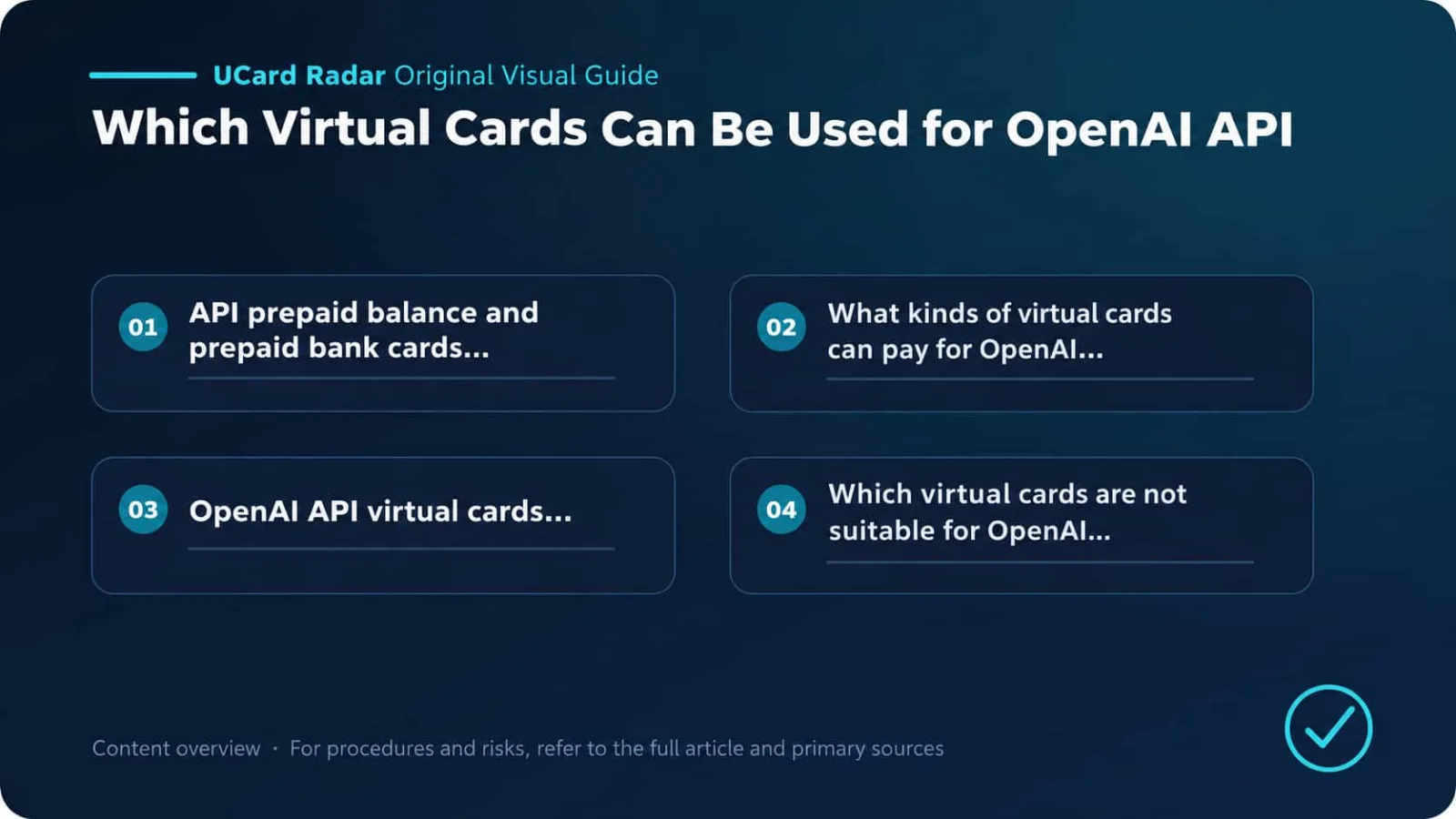
1. API Prepaid Balance and a Prepaid Bank Card Are Not the Same Thing
This is the easiest point to confuse.
OpenAI API Prepaid Billing is an account-settlement method. Users buy Credits first, and API usage is then deducted from that balance. “Prepaid” here describes how the API account is billed, not the type of bank card.
OpenAI currently places new accounts on Prepaid Billing. The minimum first purchase of Credits is $5, while the page defaults to $10; the minimum single Auto Recharge amount is also $5. The maximum amount an account can purchase depends on its Trust Tier. Credits expire one year after purchase and are non-refundable. See OpenAI’s prepaid billing guidance.
The card used to purchase Credits, however, cannot be a Prepaid Card. OpenAI currently supports only a Standard Credit Card or Standard Debit Card. See OpenAI payment failure guidance.
Commonly confused concept | Actual meaning | Supported? |
|---|---|---|
API Prepaid Billing | Buy Credits for the API account first, then deduct charges based on usage | Supported, and a common billing model for new accounts |
Prepaid Card | A prepaid credit card, prepaid debit card, or gift card issued by a card provider | Cannot be used to buy API Credits |
Standard Credit Card | A standard bank credit card, including eligible virtual card numbers | Supported, but still subject to regional and risk-control checks |
Standard Debit Card | A standard debit card linked to the user’s bank or payment-account balance | Supported, provided it is not identified as prepaid |
In short: an OpenAI API account can use a prepaid balance, but the card used to fund that balance cannot itself be a prepaid card.
2. What Kind of Virtual Card Can Pay for the OpenAI API
The card must be a standard credit card or debit card
A Visa or Mastercard logo only means that the card is connected to that card network. It does not prove what type of card it is.
Before paying, check the Card Type in the issuer’s app, card agreement, or official help center and confirm whether it is Credit, Debit, or Prepaid.
Third-party BIN lookup tools can help as a reference, but they should not be treated as final authority. BIN databases may be outdated, and the same issuer can use different card programs in different regions.
Both the user’s region and the issuing region must be supported
OpenAI requires the purchase to take place in a supported country or territory and also requires the payment card to be issued by a bank in a supported region. See OpenAI’s list of supported countries and territories.
At minimum, a card therefore needs to satisfy all of the following:
The region where the user actually uses the API is supported;
The issuing bank or card program is located in a supported region;
The billing address matches the information held by the issuer.
Being physically located in a supported region does not mean you can use a bank card issued in any country. The reverse is also true: owning a U.S.-issued card does not automatically solve the problem if the user’s actual location is unsupported.
OpenAI also warns that accessing or providing API services in locations outside the supported list may result in an account being blocked or suspended.
Support for online USD payments
API Credits can currently only be purchased in U.S. dollars; direct payment in other settlement currencies is not supported. See OpenAI’s multi-currency billing information.
If the card account does not hold USD, the issuer may convert the currency automatically and charge a foreign-exchange or cross-border transaction fee. Before use, confirm that the card supports:
USD payments;
International online transactions;
3D Secure or Strong Customer Authentication;
Subsequent charges required for Auto Recharge.
Some banks disable international online transactions by default and require users to enable them manually in the app.
The card number and billing address should be stable
A single-use card changes its number after payment and is therefore unsuitable as a long-term payment method stored on an API account. A first Credits purchase may succeed, but when Auto Recharge is triggered later, the original card number may already be invalid.
The billing name, country, street address, state or province, and postal code should all be entered exactly as held by the issuer. OpenAI also recommends checking the card number, expiry date, CVC, and full billing address when a payment fails. See OpenAI’s declined-card guidance.
3. How to Choose a Virtual Card for the OpenAI API
The ordering below is based on card characteristics. It does not mean OpenAI has certified any brand.
Virtual card type | Recommendation | Best for | Advantages | What to watch |
|---|---|---|---|---|
Local bank virtual credit card | First choice | Users who already have a bank account and credit eligibility in a supported region | Card type, identity, and billing address are usually clear | International online payments must be enabled |
Local bank virtual debit card | High | Users who want to control spending through their account balance | No credit line required; easier cost control | Must be Standard Debit, not Prepaid |
Wise Digital Card | High | Genuine residents of regions where Wise Card is available | Reusable and suitable for online payments | The issuing region must still be supported by OpenAI |
Revolut standard virtual card | Conditional | Residents of Revolut-supported regions | Can create reusable virtual cards | Card type differs by region; do not use a Single-use card |
Bybit Card credit-card programs | Try cautiously | Users who meet the relevant KYC, residency, and issuance requirements | Some regions offer virtual credit cards | Card type varies by region and may still be declined by OpenAI risk controls |
Prepaid crypto cards and gift cards | Not applicable | Not recommended | Easy to top up | OpenAI explicitly does not allow them for API Credits purchases |
Single-use virtual cards | Not recommended | Some one-off purchases | Shorter exposure of the card number | Auto Recharge and later verification can easily fail |
Local bank virtual credit card
If the user lives in an OpenAI-supported region and has a virtual credit card issued by a local bank, this is usually the first option to try.
The advantage is not that “a bank credit card will definitely work,” but that the cardholder identity, issuing region, and billing address are easier to keep consistent. If a payment is declined, the user can also contact the bank directly to ask for the reason.
Before using it, check international online payments, USD payments, and 3DS permissions. If the bank supports per-card spending limits, set a reasonable dedicated limit for OpenAI instead of keeping the primary card exposed to a development project indefinitely.
Local bank virtual debit card
A standard virtual debit card can also be used to purchase API Credits, but you must confirm that it is a Standard Debit card.
This type of card is suitable for users who want to control API spending according to account balance. Note that some fintech platforms call a product a “Debit Card” while the payment network or BIN data may classify it as Prepaid. The issuer agreement and the card’s actual characteristics should be treated as authoritative.
Wise Digital Card
A Wise Digital Card can be used for online purchases and may suit users who already legitimately hold a Wise account in a supported region.
Personal Wise Card availability currently covers residents of Australia, Brazil, Canada, the European Economic Area, Switzerland, Japan, Malaysia, New Zealand, the Philippines, Singapore, the United Kingdom, and parts of the United States.
Being able to register a Wise account does not necessarily mean you can apply for a Wise Card. Users must meet the residency and identity requirements of the relevant region. Wise Card is currently not offered to individual residents of mainland China or Hong Kong.
Wise is not an OpenAI-recommended card. Final approval is still determined jointly by OpenAI’s payment-processing system and the card issuer.
Revolut standard virtual card
Revolut offers reusable virtual cards and Single-use virtual cards.
For API Credits, use a standard virtual card. A single-use card changes its number after the transaction and is not suitable for Auto Recharge, recovery charges, or later verification.
Card types issued by Revolut are not identical in every region; they may be Debit, Credit, or Prepaid. Before adding one to OpenAI, check the exact card type in your own account. If it is shown as Prepaid, it does not meet the payment requirements for API Credits.
Bybit Card: evaluate it by region
Bybit Card is not a single globally uniform card product.
According to Bybit’s Card FAQ, the AIFC, Georgia, Kazakhstan, Australia, and Mexico programs are Mastercard Credit Card programs; the Asia Pacific program is a Visa Credit Card program; and the Argentina, Brazil, and Peru programs are Prepaid Card programs.
This means:
Bybit Card products labeled Prepaid are not suitable for purchasing API Credits;
A Credit Card program only means it is technically worth trying; it does not guarantee OpenAI will accept it;
The user’s location, API-use region, and issuing region must all comply with the rules;
The billing address and KYC information must be genuine.
For long-running production projects, it is best not to rely on a crypto payment card as the only payment method. If the card program, BIN, or regional policy changes, Auto Recharge can suddenly fail.
4. Which Virtual Cards Are Not Suitable for the OpenAI API
Prepaid crypto cards
This is the clearest category under the current rules.
No matter whether a platform advertises “global merchant support,” “works with AI tools,” or “Visa accepted worldwide,” if the card is identified as Prepaid, it cannot be used to purchase API Credits.
A card that can pay for ChatGPT Plus is not necessarily able to buy API Credits. The two products use different billing systems and may apply different payment checks.
Gift cards and anonymous virtual cards
Gift cards are usually prepaid products and often lack a verifiable cardholder name and billing address.
Cards marketed as “no identity required,” “any address,” or “buy and use instantly” are difficult to dispute with the issuer if payment fails and can also create refund disputes and account risk.
Single-use virtual cards
A single-use card may work for some one-time payments but is unsuitable for storage as an API payment method.
When Auto Recharge, balance recovery, or payment-method review occurs, the original card number may already be invalid.
Cards issued in unsupported regions
Even if the user is in a supported country, a bank card issued in an unsupported region may still be declined.
OpenAI requires both the user’s location and the card-issuing region to be within the supported scope. See the OpenAI supported-regions list.
Shared cards, card-binding services, and third-party top-ups
Do not give a seller access to your OpenAI Platform account, and do not share card numbers from unknown sources among multiple people.
An API account may store API Keys, project data, usage history, and billing information. Once a third party gains account access, the risk is far greater than a failed top-up. It may later lead to payment disputes, Credits being reversed, or the account being restricted.
5. How to Use a Virtual Card to Purchase API Credits
Sign in to OpenAI Platform and open the Billing page for the API organization.
Open Payment methods or Billing overview and choose to add a payment method.
Enter the card number, expiry date, CVC, and genuine billing address.
If the bank triggers 3D Secure, an SMS code, or app authorization, complete the verification as instructed.
Choose the amount for the first Credits purchase. The current minimum is $5, and the page usually defaults to $10. See OpenAI’s prepaid billing guidance.
Check the Auto Recharge settings. OpenAI currently enables Auto Recharge by default during setup; if you do not need it, turn it off before confirming the first purchase. See OpenAI’s prepaid billing setup guidance.
If you keep Auto Recharge enabled, set the trigger balance, recharge amount, and monthly recharge limit.
After payment, wait for the balance to update. It may take a few minutes for the new Credits to appear.
In Usage and Limits, configure project budgets, alerts, and rate limits instead of relying only on the card balance to control API spending.
Manual Credits purchases do not count toward the monthly Auto Recharge limit. Once the account balance is exhausted, API requests stop when the billing limit is reached. Because the billing system can have delays, a small negative balance may temporarily appear and then be deducted from the next Credits purchase. See OpenAI’s prepaid billing setup guidance.
6. Why a $5 Pending Transaction Appears After Adding a Card
After adding or updating an API payment method, a $5 Pending transaction may appear on the bank statement.
This is usually a temporary authorization used to verify the payment method, not a purchase of $5 in API Credits. OpenAI says this authorization is expected to be reversed within seven days. See OpenAI’s $5 temporary authorization guidance.
Therefore, do not keep only the exact amount you plan to spend on Credits on the card. The temporary authorization, the actual top-up, local taxes, and currency-conversion fees may all reduce available balance at the same time.
To determine whether a top-up succeeded, check the Credits balance and payment history on the Billing page. Do not rely only on whether the bank card shows a charge.
7. How to Troubleshoot a Failed Virtual-Card Payment
Card declined or Generic decline
First check the issuer’s app for a corresponding declined transaction.
If you can see the transaction, contact the issuer and ask whether it blocked an international online transaction, a USD payment, or the OpenAI merchant.
If there is no transaction record at all, the payment may have been blocked before reaching the bank authorization stage. Common reasons include an unsupported card type, an unsupported issuing region, incorrect billing information, or rejection by the payment-processing system.
OpenAI generally cannot obtain the bank’s detailed decline reason, so asking the issuer directly is often faster. See OpenAI’s declined-card guidance.
Prepaid card not supported or Card not supported
Confirm whether the card is Prepaid, a Gift Card, or a single-use virtual card.
If the card type itself is not accepted, changing the billing address or adding more balance will not help. You need to switch to a standard credit card or debit card.
Authentication required or 3DS failed
Allow the checkout page to open redirect windows and disable ad blockers and pop-up blockers. You can also try a private/incognito window or switch browser, device, or network.
After the bank sends an OTP or app-authorization request, complete it within the valid time window. Do not refresh or close the payment page. OpenAI also recommends disabling a VPN where appropriate to avoid regional or verification-path issues. See OpenAI payment-verification troubleshooting.
Billing address mismatch
Enter the billing address exactly as recorded by the issuer, not based on your current network location.
Check:
Cardholder name spelling;
Country or region;
Street and house number;
State, province, or administrative region;
Postal code.
If you are unsure of the billing address, check with your bank or card platform first. Do not copy an address from a BIN website.
Sufficient balance but payment still fails
The displayed account balance is not always the same as the available balance.
In addition to the Credits purchase amount, account for the $5 temporary authorization, taxes, cross-border fees, and currency-conversion fees. Some debit cards may also have balance tied up by other Pending transactions.
First top-up succeeds, Auto Recharge fails
Common causes include a frozen card, a virtual card number that has changed, insufficient balance, disabled subsequent-charge permissions, or the monthly Auto Recharge cap being exhausted.
If Auto Recharge fails, OpenAI sends an email. When the account balance reaches 0, API usage stops. Because billing can be delayed, a small amount of excess usage may create a negative balance, which is then deducted from newly purchased Credits. See OpenAI’s prepaid billing guidance.
8. What Users in Mainland China and Hong Kong Should Know
As of August 1, 2026, neither mainland China nor Hong Kong is included in the OpenAI API list of supported countries and territories. See the OpenAI API supported-regions list.
Therefore, finding a U.S. virtual card does not solve every issue. The payment card is only one review condition; the user’s actual location, the region where API services are provided, and the card-issuing region must all comply with OpenAI’s rules.
The following approaches are not recommended:
Registering or paying with a false overseas address;
Borrowing another person’s identity to apply for an overseas bank card;
Buying a shared OpenAI account or shared API Key;
Letting a top-up seller sign in to the Platform account;
Frequently switching networks and cards to retry payments.
If the business entity is established in an OpenAI-supported region, use a genuine payment method in the name of that entity or the responsible person and enter billing information based on the actual business address.
If the business location is unsupported, choose a model provider that can legally serve that market rather than relying on virtual addresses and third-party payment services to keep a production system running.
9. Frequently Asked Questions
Does the OpenAI API support virtual credit cards?
Yes, provided the virtual credit card meets the requirements.
The card must be a standard credit card, issued by a bank or card issuer in a supported region, and must pass checks for billing address, balance, and bank risk controls.
Does the OpenAI API support virtual debit cards?
Yes, standard debit cards are supported, but prepaid debit cards are not.
The card should also support online USD payments and any 3D Secure or Strong Customer Authentication required by the bank.
Can a crypto card be used to top up the OpenAI API?
It depends on the actual card type.
If the card is a Prepaid Card, it cannot be used to purchase API Credits. If it is shown as a standard Credit or Standard Debit card, that only means it may be eligible to try; the user and issuing region must still be supported, and the billing address must be genuine and consistent.
Can the card used for ChatGPT Plus be used directly for the API?
Not necessarily.
ChatGPT subscriptions and OpenAI API Platform use separate billing systems. For the API, a payment method must be added separately on the Platform Billing page and Credits must be purchased there.
A card that successfully pays for ChatGPT Plus is not guaranteed to pass the API Credits card-type and regional checks.
Can API Credits be purchased with PayPal?
OpenAI’s current official guidance for self-service API Credits purchases lists standard credit cards and debit cards and does not list PayPal as a standard payment method.
The final reference should be the payment options shown in your own Platform checkout page.
What is the minimum first top-up?
The current minimum purchase is $5, while the page defaults to $10. The minimum single Auto Recharge amount is also $5, and the maximum available amount depends on the Trust Tier. See OpenAI’s prepaid billing guidance.
Do Credits expire?
Yes.
Purchased API Credits expire after one year and are non-refundable. Small projects generally do not need to buy a balance far above expected usage.
The OpenAI API is best paired with a reusable standard virtual credit card or debit card issued in the user’s name by a bank in a supported region.
When choosing a card, first verify whether it is Credit, Debit, or Prepaid. Then check the issuing region, online USD support, 3D Secure, and billing address. A Visa or Mastercard logo alone does not prove that the card can purchase API Credits.
For long-running production systems, payment stability matters more than convenience. The primary payment method should ideally be a bank or compliant fintech card with clear billing records and an issuer you can contact if a charge is declined. Crypto payment cards can be a backup, but unknown-source prepaid crypto cards are not suitable for maintaining critical API services.