
Sources and Scope of Conclusions
Primary-source verification: Cursor Pricing; Terms of Service; Visa Core Rules and Visa Product and Service Rules.
The verifiable facts in this article regarding Cursor plans, automatic renewal, cancellation, and payment-card selection are based on the official or regulatory documents listed above. Actual service status, pricing, eligibility, and regional availability should be checked on the issuer's or platform's page at the time of application.
Cursor has not published a whitelist of U cards. The acceptance rate of any specific card can vary with the BIN, issuing region, 3D Secure, billing information, and real-time risk controls. User experiences, success rates, fee comparisons, or trend judgments not directly disclosed by the primary sources above are analysis or inference and have not been officially confirmed by the relevant institutions for individual cases.
Cursor Subscription Payment Card Recommendations: Which Bank Cards and U Cards Work for Cursor
Registering a Cursor account is usually not difficult. Payment is where users in mainland China are more likely to encounter problems.
Even among Visa or Mastercard cards, some complete the subscription on the first attempt, while others show “Your card has been declined” despite having sufficient funds. There is another, more troublesome case: the first month's payment succeeds, but the renewal is declined in the second month.
The problem is often not the balance.
Cursor is an overseas software subscription with automatic renewal. The payment card must support international online transactions and USD payments, and it must also allow the merchant to store the card and charge it later. If any layer of risk control at the issuing bank, Stripe, or the merchant declines the transaction, the user may simply see the result as “card declined.”
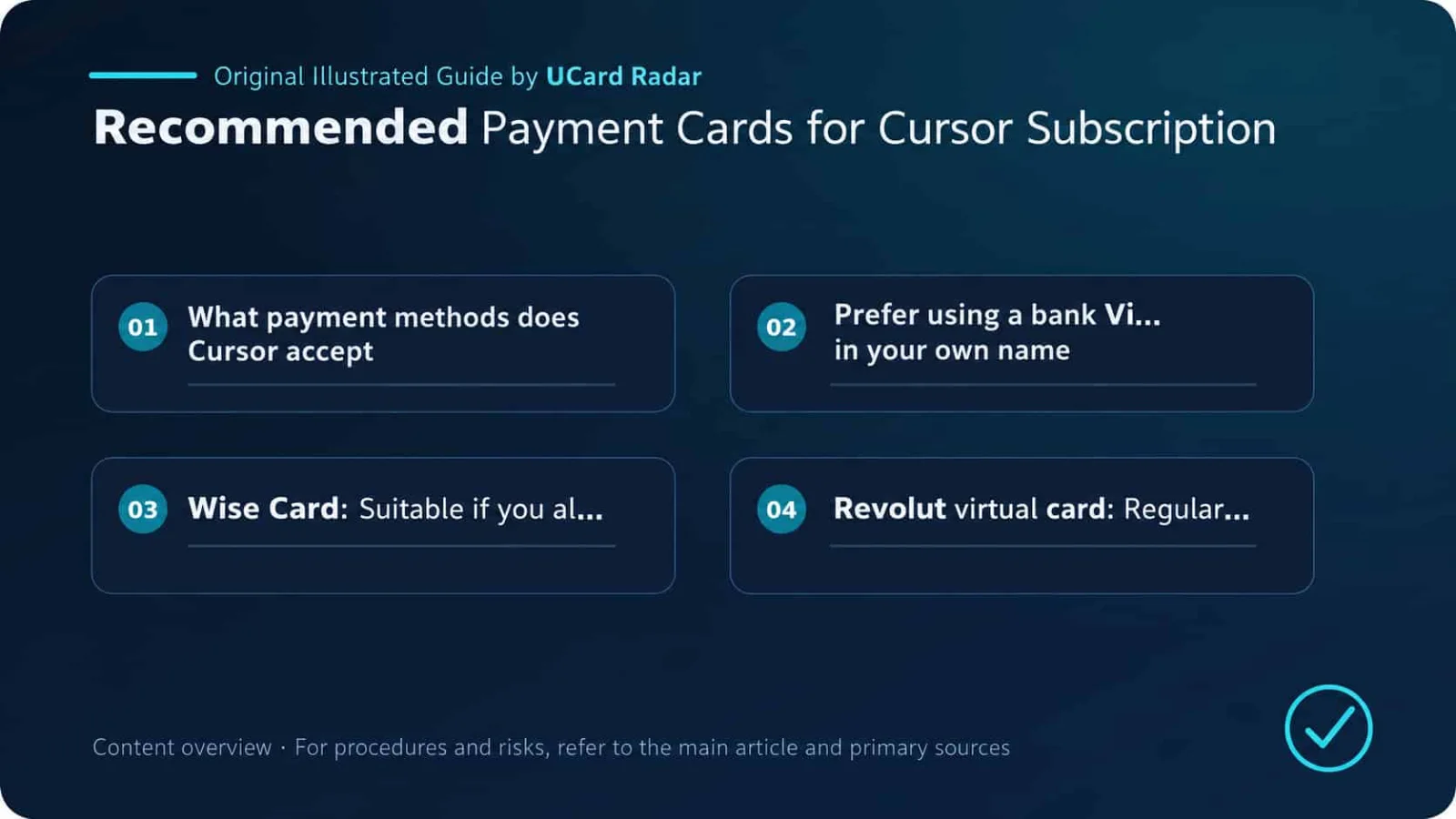
If you only want a rough order of preference, use the following approach:
A bank-issued Visa or Mastercard in your own name that supports international online subscriptions is usually the most stable option;
Users who legally reside in supported regions can use a Wise Card or a standard Revolut virtual card;
If you want to pay with USDT or USDC, you can consider Bybit Card, Crypto.com Card, Coinbase Card, or MetaMask Card, depending on the region where your account is opened;
Disposable virtual cards, gift cards, anonymous cards, and third-party payment accounts of unclear origin are not suitable for Cursor automatic renewal.
Cursor has not published any so-called “payment card whitelist.” The cards discussed below are selected based on issuing region, online-payment capability, and support for recurring charges. This does not mean every payment attempt will succeed.
1. What Payment Methods Does Cursor Accept?
Cursor's official pricing page shows that individual users can subscribe with major credit and debit cards. Businesses that require bank transfer, contracts, or invoice settlement need to contact Cursor to discuss an Enterprise plan.
According to Cursor's Terms of Service, card and bank-account payments are processed by Stripe. Subscriptions renew automatically at the end of the billing period. If you do not plan to continue using the service, you need to cancel at least 24 hours before the next renewal date.
A card used for long-term Cursor payments generally needs to meet the following conditions:
Support major card networks such as Visa and Mastercard;
Allow international online transactions;
Support USD payments or automatic currency conversion;
Support recurring charges;
Be able to complete 3D Secure verification;
Allow the cardholder name and billing address to match correctly;
Remain valid at renewal time and have sufficient available balance.
Cursor's individual Pro plan currently starts at USD 20 per month, while Teams Standard is USD 40 per user per month. Listed prices may not include taxes, and the actual amount charged is determined at checkout.
If On-Demand Usage is enabled, charges may continue after the included plan usage is exhausted. Prepaid-card and U-card users should not deposit only USD 20 and then stop monitoring their balance. Even if the first month's subscription succeeds, later usage-based charges or automatic renewal can still fail.
2. Prioritize a Bank-Issued Visa or Mastercard in Your Own Name
If you have a Visa or Mastercard credit or debit card issued by a bank in your country or region, and it supports international online subscriptions, try that card first.
The advantages of a conventional bank credit card are practical: cardholder information and billing address are complete, recurring charges are usually supported more reliably, and 3DS verification can often be completed through the bank app or SMS. There are also clearer channels for handling refunds, fraudulent charges, and transaction disputes.
Before paying, check the following settings in your banking app:
International transactions;
Online transactions;
Card-not-present payments;
Automatic renewal or recurring charges;
Transaction limits.
If the bank blocks the payment, contact the issuer first to ask for the decline reason. Repeatedly clicking the payment button will not make a restricted card suddenly work and may instead trigger Stripe's or the merchant's risk controls.
Dual-currency and all-currency credit cards issued in mainland China may also successfully pay for Cursor, but the outcome depends on bank policy, merchant region, card settings, and cross-border transaction controls. A Visa or Mastercard logo on the card only means it is connected to that card network; it does not mean every overseas software subscription will be approved.
3. Wise Card: Best for Users Already Living in Supported Regions
Wise Card is a multi-currency debit card that supports online transactions and recurring payments. Users can view subscription merchants and related transactions in their Wise account and can hold USD in advance, reducing uncertainty from last-minute currency conversion when a charge is made.
The reason it works relatively well for Cursor is simple: the card number can be used long term, the account has a real billing address, and Wise explicitly supports recurring payments.
The limitation is that Wise Card is not available to users worldwide.
At present, personal cards are mainly available to residents of supported regions such as the United States, United Kingdom, European Economic Area, Canada, Australia, New Zealand, Singapore, Japan, Malaysia, the Philippines, and Brazil. Residents of mainland China are not within the availability scope for personal Wise Cards.
Users who legally reside in a supported region and hold their own Wise Card can place it relatively high on the priority list. If you do not live in a supported region, do not buy a Wise account and do not use a false address to open one.
References: Wise recurring-payment documentation; Wise Card supported regions.
4. Revolut Virtual Card: Standard Cards Work; Disposable Cards Do Not
Revolut's standard virtual card supports online shopping and recurring payments, making it suitable for software subscriptions. The card number does not automatically change after each payment, so it can continue to be used for Cursor renewals.
It is important to distinguish between a standard virtual card and a disposable virtual card.
A disposable virtual card changes its number after a transaction and is mainly intended for one-time payments. Revolut explicitly states that these cards cannot be used for subscriptions, recurring charges, hotel deposits, and other situations where later charges may still occur. Even if the first transaction succeeds, there is no guarantee that Cursor can charge the same card again the next month.
Therefore, use a standard Revolut virtual card for Cursor.
Even with the correct card type, payment can still be affected by the issuing region, device environment, and risk-control decisions. There have also been scattered reports in the Cursor community of Revolut transactions being blocked or frozen, so it should not be promoted as a 100% guaranteed solution.
For users who legally reside in regions supported by Revolut, it remains a relatively practical software-subscription card.
References: Revolut virtual-card documentation; Revolut disposable-virtual-card restrictions.
5. Bybit Card : Functionally Well Suited to Overseas Software Subscriptions
Bybit Card provides a virtual card for online payments. Users can view and edit the billing address on the card-management page and can manage switches for online transactions and non-3DS online transactions.
Functionally, it matches Cursor's payment requirements fairly well:
It has a fixed card number, expiration date, and CVV;
It can be used for online payments;
It provides a clearly defined billing address;
Online transaction permissions can be controlled;
Spending can be deducted from supported balances in the Bybit account.
However, Bybit Card is not one globally uniform card program. Different regions may use Visa or Mastercard, and eligibility, fees, limits, 3DS, and mobile-payment support can differ.
Use the card rules shown in your own account rather than directly copying tutorials from users in other countries.
The billing address entered on the Cursor checkout page should match the address registered in your Bybit Card account. If the first payment fails, do not immediately disable every security setting and retry repeatedly. Only consider adjusting non-3DS transaction settings after confirming that the merchant transaction truly does not require 3DS and after understanding the risks of disabling the relevant verification.
For users in regions where Bybit Card applications are permitted and who can complete KYC, this card can rank near the front of the U-card options.
References: Bybit Card management documentation; Bybit Card product documentation.
6. Crypto.com Prepaid Card: Can Be Used for Subscriptions, but It Is Still a Prepaid Card
Crypto.com Prepaid Card supports online purchases. Its official benefits have directly included subscription services such as Spotify and Netflix, indicating that the standard card product is capable of handling some recurring charges.
It offers a virtual card and requires identity verification during application, so the cardholder and billing information are relatively complete. Users can also preload a fiat balance, avoiding the need to sell crypto assets at the moment of purchase.
But it is still a prepaid card.
Some subscription merchants accept only credit cards, or may reject prepaid cards based on BIN, issuing region, and risk score. Crypto.com also notes that whether the card can be used depends on the merchant's own payment policies.
Also pay attention to the Crypto.com One-Time Card. This is a disposable card, and Crypto.com explicitly states that it cannot be used for subscriptions or recurring purchases, so it is not suitable for paying for Cursor.
Users who already hold a standard Crypto.com Prepaid Card in a supported region can try it. If you are applying for a new card specifically for Cursor, first confirm the card program and current fees in your region.
References: Crypto.com Card benefits documentation; Crypto.com Card usage-scope documentation; Crypto.com One-Time Card documentation.
7. Coinbase Card : Better Suited to Users in Europe and the UK
Coinbase Card is a Visa card that can be used at merchants that accept Visa debit cards. The European and UK versions require applicants to reside in supported regions, have a valid Coinbase account, and complete identity and address verification.
It is relatively similar to an ordinary Visa debit card and also provides a virtual card that can be used directly for online payments. Spending can come from fiat balances or supported crypto-asset balances on the platform.
The availability of a Coinbase account and the availability of Coinbase Card are not the same. Being able to register on the trading platform does not necessarily mean you are eligible to apply for the card.
For eligible users in the European Economic Area and the United Kingdom, Coinbase Card can be a backup option for Cursor payments. Users in other regions should first confirm whether card issuance is available locally.
Reference: Coinbase Card documentation for Europe and the UK.
8. MetaMask Card : Suitable for Users Familiar with Self-Custody Wallets
MetaMask Card can be used at online and offline merchants that accept Mastercard. At the time of payment, the card converts tokens that the user has already authorized into fiat currency and then completes the card transaction.
The difference from a conventional custodial U card is that users can set which tokens may be spent and the authorized spending amount inside the MetaMask wallet. Before the transaction occurs, the funds remain under the user's control.
This approach is more flexible, but it also adds an operational layer. Before subscribing to Cursor, confirm that:
Your region allows applications for MetaMask Card;
The card account has completed KYC;
Supported assets such as USDC and USDT have been authorized for spending;
The spending limit is sufficient to cover the subscription price and taxes;
The wallet contains the necessary Gas;
The balance and authorized amount will still be sufficient at the next renewal.
If the authorization amount is only enough for one payment, the first month may succeed while the renewal still fails.
MetaMask Card is better suited to users who already understand self-custody wallets, token approvals, and Gas fees. Beginners who simply want to subscribe to software will generally find a standard bank card or multi-currency debit card easier to manage.
Reference: MetaMask Card product documentation.
9. RedotPay Currently Works Better as a Backup Option
RedotPay states that its card can be used at online merchants that accept major card networks, but some merchants may reject prepaid cards or crypto cards under their own policies.
Functionally, RedotPay has ordinary online-payment capability. The issue is that neither Cursor nor RedotPay has published a statement “guaranteeing support for Cursor,” so it should not be placed on a list of reliably accepted cards.
Regional restrictions have also changed.
The latest unsupported-region list published by RedotPay already includes mainland China and the United States. Under the current policy, new users in these regions cannot normally complete KYC and use the service.
Therefore:
New users in mainland China should no longer treat RedotPay as a first-choice card for Cursor;
Users in the United States are also outside the current supported scope;
Users in other regions still need to verify nationality, place of residence, and the latest account-opening policy;
Do not buy a RedotPay account that has already been KYC-verified by someone else.
The approach found in older tutorials—where users in mainland China were advised by default to obtain RedotPay for overseas subscriptions—is no longer appropriate to copy.
References: RedotPay card usage scope; RedotPay unsupported-region list.
10. How to Rank Payment Cards for Cursor Subscriptions
Recommended order | Payment card type | Best suited for | Main advantages | Main limitations |
|---|---|---|---|---|
1 | Local bank Visa or Mastercard | Users who already have a compliant international card | More stable recurring charges, verification, and dispute handling | Banks may block overseas software transactions |
2 | Wise Card | Residents of regions where Wise Card is supported | Multi-currency, supports recurring payments | Personal cards are not issued to mainland China residents |
3 | Standard Revolut virtual card | Residents of regions supported by Revolut | Suitable for subscriptions; recurring payments can be managed | Disposable virtual cards cannot be used |
4 | Users who can legally apply for Bybit Card | Relatively complete online-payment and billing-address features | Card programs differ considerably by region | |
5 | Crypto.com Prepaid Card | Users who already hold a standard Crypto.com card | Supports online purchases and some subscriptions | Prepaid cards may be rejected by merchants |
6 | Eligible users in the EEA and UK | Visa debit card with relatively clear regional rules | Limited availability | |
7 | Users familiar with self-custody wallets | Can pay from self-custody wallet balances | Requires management of approvals, balances, and Gas | |
8 | Users in other eligible regions | Supports general online purchases | Mainland China and the US are currently unsupported; Cursor also provides no official guarantee |
This ordering is not a fixed ranking of success rates. Even for the same brand, the issuing country, BIN, card type, and account risk status can differ, and the payment result may therefore be completely different.
11. Which Cards Are Not Suitable for Paying for Cursor
Disposable virtual cards
Cursor renews automatically. If the card number changes automatically after the first transaction, the original card cannot be charged again the next month.
Gift cards limited to one-time spending
Some gift cards do not allow merchants to store the card and do not permit international online transactions or recurring payments. They may pass an initial small verification charge but fail during the actual payment or renewal.
Anonymous cards without a stable billing address
Stripe may check the name, country, postal code, and billing address. Cards that cannot provide consistent information generally have a lower chance of successful payment and make later disputes more difficult.
U cards in someone else's verified name and third-party payment accounts
Buying a U card that someone else has KYC-verified, sharing a stranger's Cursor account, or handing your account to a third-party payer introduces account-control, privacy, and fund-security risks.
Cursor states officially that subscriptions are sold directly through cursor.com and that it has not authorized third-party resellers. Low-priced Cursor subscriptions sold by third parties may come from shared accounts, abused payment methods, or unauthorized accounts and can be suspended at any time.
12. How to Troubleshoot a Failed Cursor Payment
Keep extra balance available. Do not deposit exactly USD 20 and nothing more. The checkout amount may include taxes, and the issuer may perform a small verification charge or apply foreign-exchange fees. If usage-based billing is enabled, also keep enough balance for usage outside the plan allowance.
Check card transaction permissions. In your banking app or issuer platform, confirm that Online Payment, International Payment, E-commerce, Card Not Present, and similar functions are enabled.
Confirm support for recurring charges. Some cards can pay for ordinary online purchases but do not allow subscriptions. Confirm that the card supports Recurring Payment or Merchant-Initiated Transaction.
Use a real billing address. The billing address should match the information registered on the card account. Do not randomly fabricate the name, country, state/province, city, and postal code, and do not copy an address from a BIN-lookup website.
Complete 3DS verification promptly. If the bank app, SMS, or card platform requests verification, complete it within the valid time window. If verification times out, check the order status first rather than immediately submitting the payment repeatedly.
Do not retry continuously. Repeated failures on the same card can trigger risk controls at Cursor, Stripe, or the issuer. After one or two failures, check the decline reason first and contact the issuer if necessary.
Check On-Demand Usage. When using a prepaid card or U card, review Cursor's usage-based billing settings and spending cap. A failed charge for out-of-plan usage can also affect continued account use.
Switch to a different issuing system. If one prepaid card fails, repeatedly switching to cards from the same issuer and the same BIN may produce the same result. Moving to a different bank or a different card program is usually more meaningful.
13. After the First Month Succeeds, Pay Attention to Renewal
A successful first payment only shows that the transaction was accepted at that moment.
To reduce the chance of an unexpected failure next month, you can prepare in advance:
Record the Cursor renewal date;
Check the card's expiration date and available balance before renewal;
Do not casually freeze or delete the card used for the subscription;
U-card users should check stablecoin balance, fiat balance, and authorized spending amount;
Check whether On-Demand Usage is enabled;
If you no longer plan to use the service, cancel at least 24 hours in advance.
Cancellation should be performed from Cursor's billing page. Freezing the bank card can only stop a charge; it does not automatically terminate the subscription relationship between the user and Cursor.
For Cursor payments, prioritize a bank-issued Visa or Mastercard in your own name that supports international online transactions and automatic renewal. Users who legally reside in regions supported by Wise or Revolut can also use the corresponding multi-currency cards. If you want to pay with USDT or USDC, consider Bybit Card, Crypto.com Card, Coinbase Card, or MetaMask Card according to your account-opening region, and confirm KYC, recurring-payment, and billing-address requirements in advance. Users in mainland China should no longer rely on old tutorials that treat RedotPay as the default recommendation. Its latest list of restricted regions already includes mainland China. Using a false address or buying someone else's verified account does not solve later review or fund-security problems. Cursor has not published a U-card whitelist. “100% supports Cursor” is closer to a sales claim than a verifiable guarantee. Even cards from the same brand can produce different payment outcomes because of differences in issuing country, BIN, 3DS, billing address, and user risk score. Information was verified through August 1, 2026. Cursor plan pricing, payment channels, and card-supported regions may change, so check the latest official information from Cursor and the card platform before paying.